
The 3D character style transfer prompt converts real-life portraits into stylized 3D minimalist figures, providing digital artists and social media creators with a high-fidelity tool for generating consistent, Pixar-inspired character renders.
3D Character Style Transfer Prompt
Upload your photo to Gemini, paste the JSON-structured prompt below, and ensure the preserve_identity parameter is set to true to maintain facial likeness.
{
 "task": "image_style_transfer_3d_character",
 "input": {
 "source_image": "USER_UPLOADED_IMAGE",
 "preserve_identity": true,
 "preserve_pose": true,
 "preserve_composition": true
 },
 "style_reference": {
 "render_style": "stylized_3d_character",
 "aesthetic": "soft_minimal_cartoon_3d",
 "inspiration": [
 "pixar_like_but_more_minimal",
 "toy_figure_render",
 "clean_product_character_design"
 ]
 },
 "character_design": {
 "skin": {
 "material": "smooth_matte_plastic",
 "texture": "soft_uniform",
 "subsurface_scattering": "gentle"
 },
 "facial_features": {
 "eyes": "half_closed_bored_expression",
 "eyelids": "heavy",
 "nose": "rounded_simplified",
 "mouth": "flat_neutral",
 "ears": "simplified_rounded"
 },
 "emotion": "unimpressed_calm_bored"
 },
 "clothing": {
 "style": "minimal_streetwear",
 "details": "no_logos_no_patterns",
 "fabric": "soft_matte"
 },
 "accessories": {
 "headwear": "simple_baseball_cap_optional",
 "ear_accessories": "wireless_earbuds_optional"
 },
 "lighting": {
 "setup": "studio_softbox",
 "shadows": "very_soft",
 "contrast": "low",
 "highlights": "subtle"
 },
 "background": {
 "type": "solid_color",
 "color_palette": [
 "muted_green",
 "pastel_tone"
 ],
 "gradient": "none"
 },
 "camera": {
 "angle": "front_facing",
 "framing": "medium_close_up",
 "lens": "50mm_equivalent",
 "distortion": "none"
 },
 "render_quality": {
 "resolution": "high",
 "edges": "clean",
 "noise": "none",
 "realism_balance": "stylized_over_realistic"
 },
 "output": {
 "consistency": "high",
 "style_strength": "strong",
 "photorealism": false
 }
}
How to Use
- Customize Emotion: Edit the emotion field from unimpressed_calm_bored to any state (e.g., happy, excited) to shift the character’s vibe.
- Change Material: Swap smooth_matte_plastic in the skin section for glossy_resin if you want a shiny, vinyl toy look.
- Background Swap: Update the color_palette with HEX codes or color names to align the output with your personal or brand aesthetic.
Use Cases
Customized 3D social media avatars, minimalist brand mascot creation, digital toy prototypes, and creative UI character design.
Example
Picture
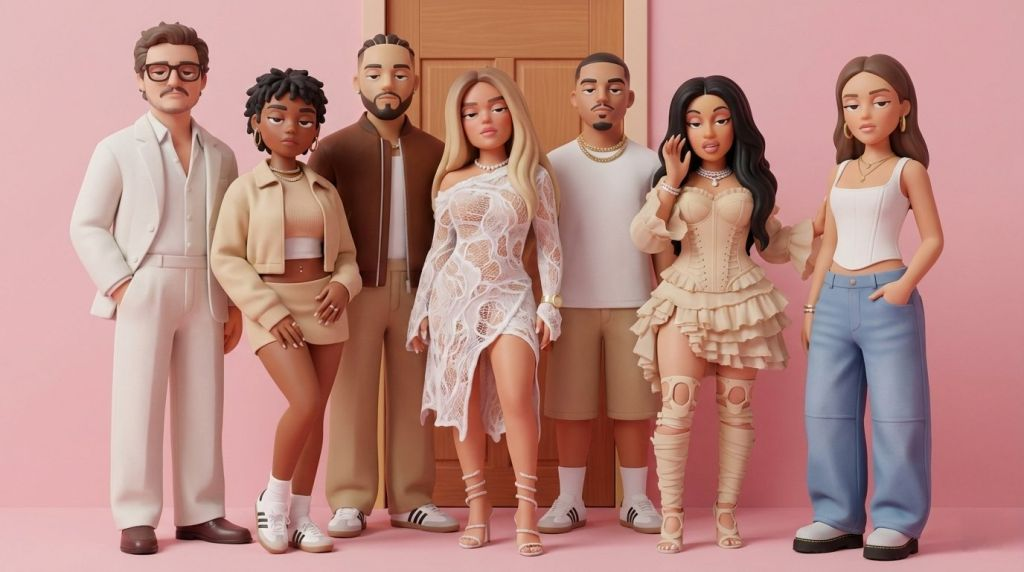
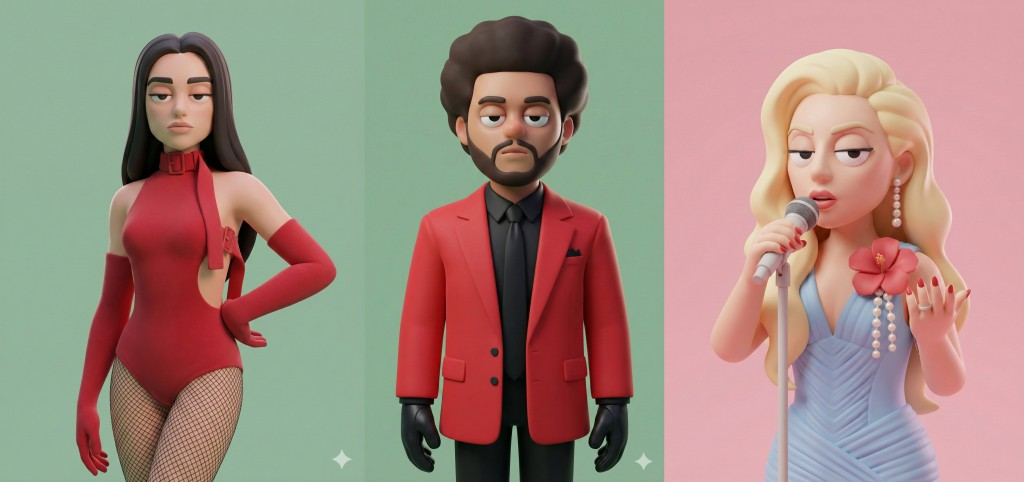
Use this prompt to generate your version? Share in the comments or on Twitter!
Explore more? View the Image & Design category.
I hope you found this 3D character style transfer image generation AI prompt helpful.
Follow me @bigprompt for more.
Like/Repost if you can this prompt.
Internal link:
Surreal Smartphone Portal Prompt – Hyper-Realistic Drink Pour Across Worlds
Custom 3D Figure “Starter Pack” Prompt
Seedance Prompt Examples for Jimeng/Dreamina Multi-Shot Video
Leave a Reply