
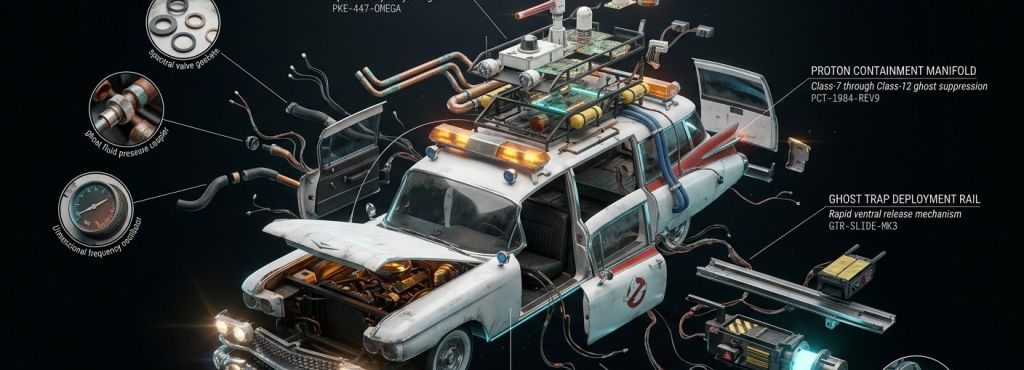
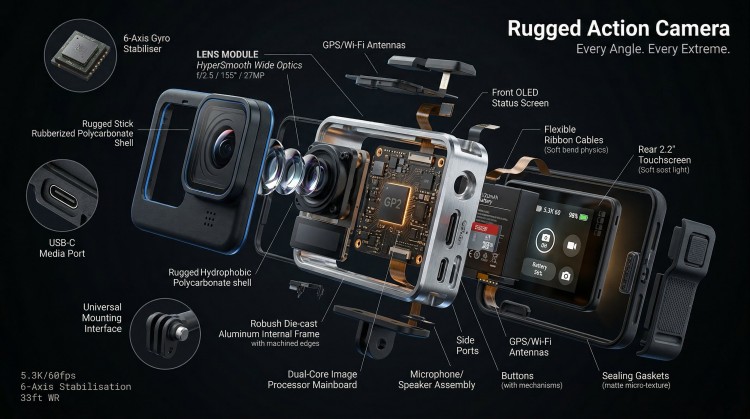
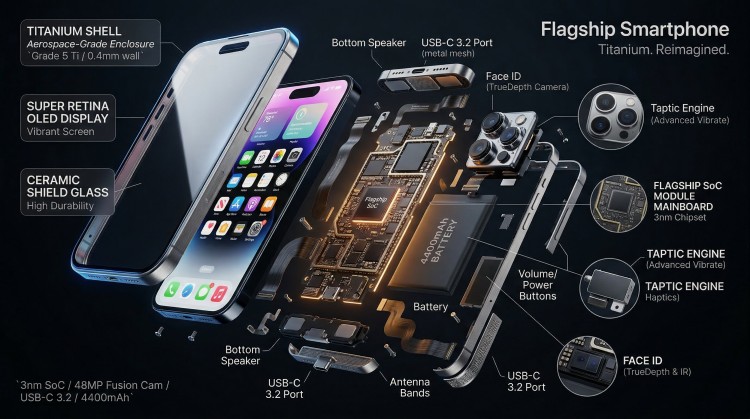
Create professional technical infographics for any device using this 3D exploded view prompt. It visualizes complex products—from smartphones to engines—as high-fidelity teardowns with components bursting radially from a central axis. This template helps creators and engineers build clean, labeled diagrams that maintain museum-quality material realism and precise spatial depth in a single frame.
3D Exploded View Prompt
Model fit: Nano Banana 2 / Pro, Gemini.
Input your [PRODUCT] and component layers into the brackets. Use Nano Banana 2 to render the final image for maximum texture fidelity and lighting accuracy.
# Topic: 3D Radial Explosion of [PRODUCT]

<diorama_topology>
Hyperrealistic 3D radial exploded view of [PRODUCT] [NUMBER] components bursting outward from a central axis in every direction, frozen in mid-air. True spatial explosion, not a vertical stack, depth and parallax visible. COMPONENTS (core outward): [SHELL] → [DISPLAY] → [FRAME] → [MAINBOARD] → [BATTERY] → [MICRO PARTS shown in 3x floating callout circles]

MATERIALS: glass refracts and catches specular highlights, aluminium shows brushed grain and machined edges, PCB traces glow faintly amber, rubber gaskets matte with micro-texture, cables with soft bend physics.

LABELS: hairline leader to floating box. "[COMPONENT]" uppercase / "[FUNCTION]" italic / "[KEY SPEC]" monospace. Radiate outward, no overlaps.

LIGHTING: cool diffused overhead + warm amber underlighting on internals + thin blue rim on outer shell. Displays emit soft UI glow. Circuits self-illuminate.

BACKGROUND: [COLOR], deep, non-reflective. Midnight black recommended.

TITLE: "[PRODUCT NAME]" top right. SUBTITLE: "[TAGLINE]". SPEC BLOCK: "[SPEC 1] / [SPEC 2] / [SPEC 3]" bottom left in monospace.
</diorama_topology>

# Execution Logic:
1. Strict Topology Constraint: Execute as a true 360-degree radial explosion. Do not stack components vertically. Maintain dramatic depth across all floating parts.
2. Material Fidelity: Prioritize texture realism. Ensure glass is refractive, metal has brushed grain, and circuits self-illuminate as specified.
3. Callout Logic: Render exactly three (3x) floating micro-parts inside circular callout frames, connected by hairline leaders.
How to Use
- Core-Outward Logic: List your components starting from the center (e.g., [PROCESSOR]) to the exterior (e.g., [CASING]) for a natural explosion look.
- Texture Anchoring: Match the MATERIALS section to your specific product (e.g., use “anodized titanium” for high-end hardware).
- Callout Focus: Use the [MICRO PARTS] circles to highlight tiny, critical details like lenses, screws, or microchips.
Use Cases
- Technical Marketing: Visualizing the internal complexity of hardware in an iFixit or WIRED-cover style.
- Instruction Manuals: Creating clear, aesthetically pleasing teardown diagrams for user documentation.
- Editorial Art: Generating high-impact assets for technology reviews and engineering deep-dives.
Why This Prompt Works
This template solves the “AI pile-up” problem by defining a Strict Topology Constraint. Instead of a generic request, it tells Nano Banana 2 to follow a 360-degree radial blast pattern. By anchoring labels and callouts to specific geometric rules, it ensures a predictable, professional output that mirrors high-end technical photography and industrial design renders.
Common Mistakes & Fix
- Vertical Stacking: If the AI stacks parts like a sandwich, re-emphasize “radial explosion from a central axis” in your description.
- Label Clutter: Keep the Spec Block limited to three items to maintain a clean, professional aesthetic.
FAQ
- Can I change the background?
Yes. While midnight black is best for highlights, a “clinical white” background works well for traditional technical manuals.
- How many components can it handle?
It works best with 5–12 major components. Adding too many can lead to visual clutter; use the callout circles for smaller parts instead.
Example
Picture

Use this prompt to generate your version? Share in the comments or on Twitter!
Explore more? View the Image & Design and Business & Productivity category.
I hope you found this 3D exploded view image generation AI prompt helpful.
Follow me @bigprompt for more.
Like/Repost if you can this prompt.
Internal link:
3-Tier Historical Evolution Prompt: Vertical Timeline Template
Packaging Graphic Design Prompt: High-Fidelity Branding Mockups
SaaS Churn Recovery Prompt: B2B Inactive Account Re-engagement
Product Marketing Prompt: 3×3 Grid Layout
Executive Productivity Prompt: 10 Essential Frameworks for Workflow
Big Prompt Hub Review
The 3D exploded view prompt is a specialized tool for industrial and technical visualization. It moves beyond simple “cool” images into the realm of structured, professional diagrams. By combining radial physics with precise material rules, it provides an essential framework for anyone needing to showcase the “soul of a machine” in a clean, cinematic format.
Leave a Reply