
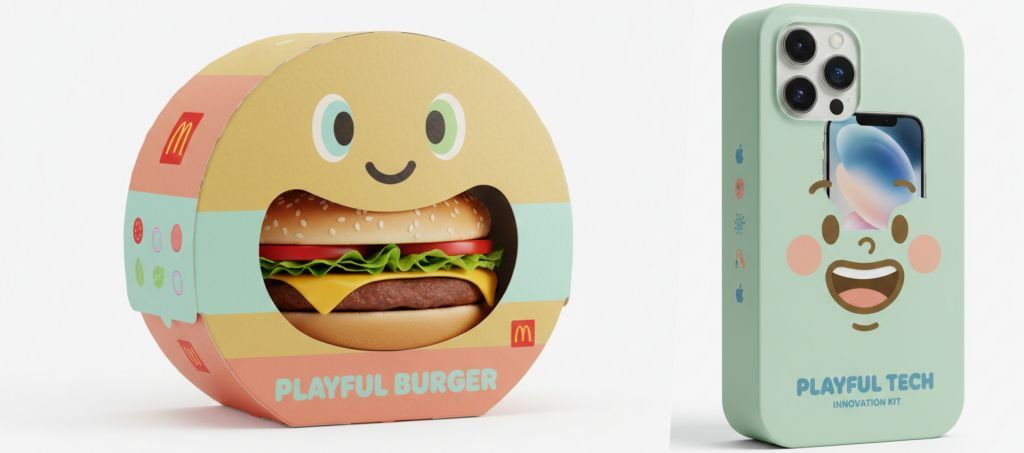
The playful character packaging prompt is a specialized design framework for generating high-end 3D mockups of product-shaped retail boxes. This logic synchronizes the packaging geometry with physical contents while integrating a bold cartoon face on the front panel. By mandating a strategic die-cut window, the system transforms the actual product into part of the character’s expression. It enables brand designers to rapidly prototype interactive, shelf-ready packaging concepts with professional lighting and accurate textures.
Packaging Character Mockup Prompt
Model fit: ChatGPT, Gemini, Midjourney and similar image models. Replace the [product name] and [product contents description] variables while keeping the strict 1:1 aspect ratio.
Playful designer packaging for [product name], creative box shaped like the product, integrated cartoon face on the front panel, oversized die-cut window revealing the real contents as part of the character’s expression, smooth matte cardboard material, bold flat graphic design, modern minimalist branding, limited pastel color palette, rounded friendly shapes, clean typography, high-end 3D packaging mockup render, soft studio lighting, pure white background, subtle realistic contact shadow beneath, ultra-detailed, retail-ready presentation, 1:1 aspect ratio.How to Use
- Variable Injection: Replace [product name] with specific items to sync the die-cut window with the internal contents.
- Shape Constraint: Retain the “shaped like the product” instruction to ensure the AI departs from standard rectangular box geometry.
- Lighting Control: The “soft studio lighting” and “pure white background” parameters ensure a professional, e-commerce-ready asset.
- Aspect Ratio: Always use a 1:1 ratio for standardized packaging gallery presentation.
Use Cases
- E-commerce Assets: Creating eye-catching main images for online storefronts that highlight product texture through the die-cut window.
- Social Media Campaigns: Generating character-driven packaging visuals that encourage user interaction and brand recall.
- Packaging Prototyping: Helping industrial designers visualize the intersection between structural die-cuts and character graphics before physical production.
Why This Prompt Works
The playful character packaging prompt succeeds through structural-illustrative overlap. It first defines a rigid geometric constraint before introducing a fluid illustrative layer. By mandating that the window is part of the character’s expression, it forces the AI to treat the internal product as a functional design element. This creates a cohesive optical illusion where the physical product and external packaging tell a single, unified brand story.
Common Mistakes & Fix
- Generic Rectangle Box: The AI ignores the “shaped like the product” command. Fix: Increase the prompt priority of that phrase; define the shape more explicitly (e.g., “shaped exactly like the bottle”).
- Disconnected Window: The die-cut window is just a random hole. Fix: Ensure “as part of the character’s expression” is present and change “integrated cartoon face” to “expression defined by the die-cut.”
FAQ
- Can I change the color palette?
Yes. Replace “limited pastel color palette” with “vibrant neon colors” or “monochrome black and white” to fit your brand.
- Can I change the material?
Yes. Replace “matte cardboard” with “glossy plastic” or “metallic foil” to simulate different retail finishes.
- What kind of products does this work for?
This works for almost any product with a recognizable shape: bottles, tubes, food containers, or electronics.
Example
Product Name
- McDonald’s Hamburger
- Apple iPhone 17
- Dyson Supersonic
- Google Nest Hub Max
Picture
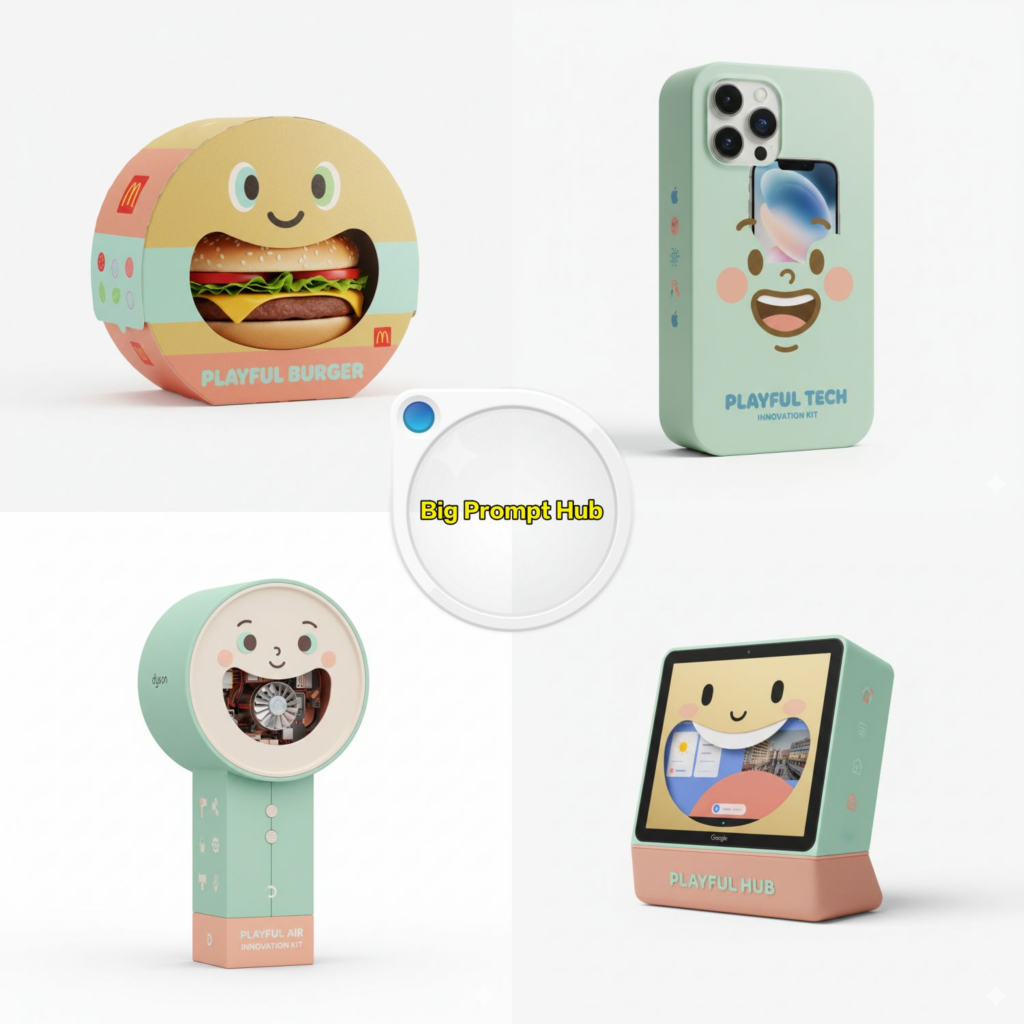
Use this prompt to generate your version? Share in the comments or on Twitter!
Explore more? View the Image & Design and Business & Productivity category.
I hope you found this packaging mockup image generation AI prompt helpful.
Follow me @bigprompt for more.
Like/Repost if you can this prompt.
Internal link:
Manga Pop-Up Book Prompt: 3D Character Visuals
Isometric 3D Landmark Prompt: Architectural Visualization Render
Kid-Style Crayon Drawing Prompt: Hand-Drawn Notebook Paper Artwork
3D City Map Diorama: Miniature Urban World Architecture
Minimalist Origami Food Art: Geometric Paper Photography
Big Prompt Hub Review
This iteration of the playful character packaging prompt is a robust tool for interactive structural design. Its ability to merge structural engineering with character marketing makes it a high-value asset for FMCG branding. The technical stability ensures that even complex product shapes are rendered with realistic lighting and shadows, providing a retail-ready output suitable for professional portfolios.
Leave a Reply