
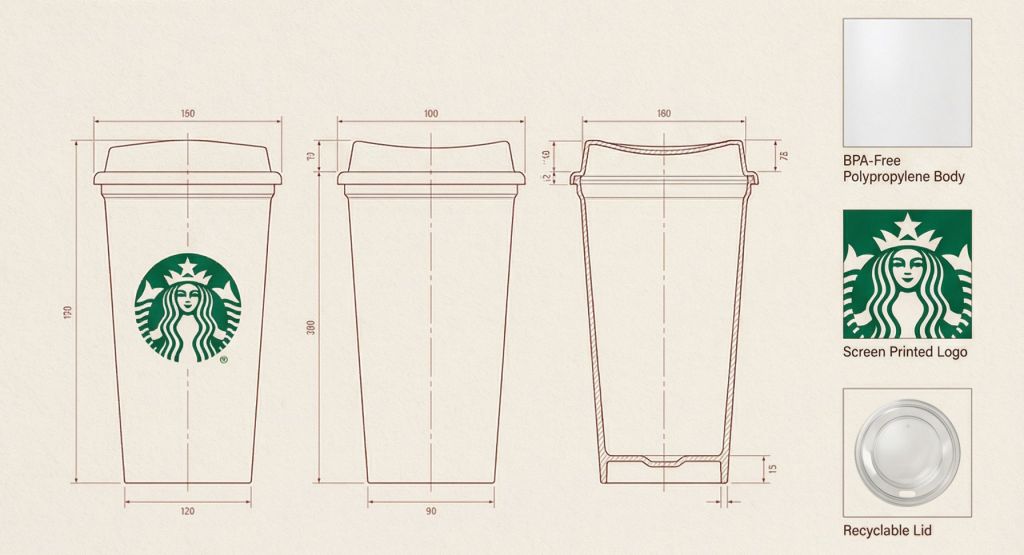
Product presentations gain a premium feel when combining a clean lifestyle hero image with precise technical details on one page. This JSON template enforces that split layout—dominant top section for natural lighting and environment, modular bottom for line drawings and materials—while locking the design to the exact uploaded reference.
Product Catalog Prompt
Models supporting structured JSON prompts (Gemini Advanced, Claude, etc.). Upload your product image first, then paste the full JSON.
{
  "reference_images": {
    "product_image": "UPLOADED_IMAGE",
    "usage_rule": "Use the uploaded image as the exact visual reference for the product’s form, proportions, materials, and overall identity. Do not redesign or reinterpret the product."
  },

  "layout": {
    "canvas": {
      "orientation": "vertical",
      "aspect_ratio": "3:4",
      "background": "warm neutral paper-like surface"
    },
    "structure": {
      "top_section": "lifestyle_hero",
      "bottom_section": "technical_specification"
    }
  },

  "top_section": {
    "type": "lifestyle_product_image",
    "composition": {
      "placement": "top_center",
      "scale": "dominant",
      "margin": "generous whitespace around product"
    },
    "environment": {
      "setting": "minimal architectural interior",
      "lighting": {
        "type": "natural sunlight",
        "direction": "angled side light",
        "quality": "soft but high-contrast shadows"
      },
      "floor": "subtle concrete or stone surface",
      "background": "textured plaster wall"
    },
    "rendering": {
      "style": "editorial lifestyle photography",
      "detail": "high realism",
      "color_grading": "warm, muted, premium"
    }
  },

  "bottom_section": {
    "type": "technical_specification_panel",
    "layout": {
      "grid": "modular",
      "alignment": "clean, architectural"
    },

    "technical_drawings": {
      "placement": "bottom_left_and_center",
      "style": "architectural line drawings",
      "views": [
        "front view",
        "side view",
        "three-quarter cutaway or profile view"
      ],
      "projection": "orthographic",
      "line_style": {
        "color": "muted red or sepia",
        "weight": "fine technical lines"
      },
      "annotations": {
        "type": "measurement and construction callouts",
        "language": "neutral technical labels",
        "density": "minimal, editorial"
      }
    },

    "materials_panel": {
      "placement": "bottom_right",
      "content": {
        "type": "material_swatches",
        "count": "3-4 depending on product",
        "format": "square or rectangular samples"
      },
      "textures": {
        "source": "derived from the product materials",
        "examples": [
          "fabric",
          "leather",
          "metal",
          "wood",
          "plastic"
        ]
      },
      "labels": {
        "style": "small editorial captions",
        "tone": "technical but refined"
      }
    }
  },

  "typography": {
    "style": "minimal editorial",
    "usage": "subtle captions, no large headlines",
    "color": "soft black or dark brown"
  },

  "overall_style": {
    "mood": "design catalog / product design journal",
    "aesthetic": "architectural, premium, calm",
    "avoid": [
      "clutter",
      "bold colors",
      "heavy branding",
      "overly decorative graphics"
    ]
  },

  "constraints": {
    "do_not": [
      "change product design",
      "invent new materials",
      "add logos unless present in reference",
      "use perspective distortion in drawings"
    ]
  }
}
How to Use
Paste the entire JSON directly into models that accept structured prompts. Upload the product image first—it’s referenced strictly for form and materials. The layout is fixed: lifestyle dominates the top, specs stay cleanly modular below. No splitting needed.
When to Use
Perfect for furniture, accessories, or industrial design catalogs needing both emotional lifestyle appeal and precise technical clarity on one page. The constraints keep output faithful to the reference.
Example
Picture
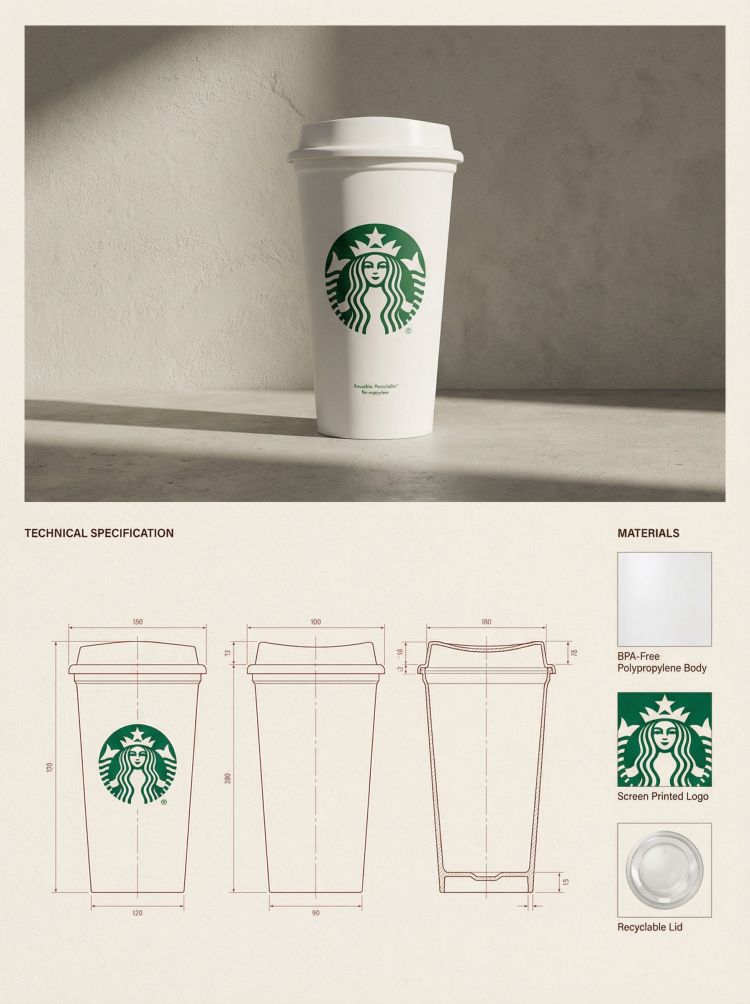
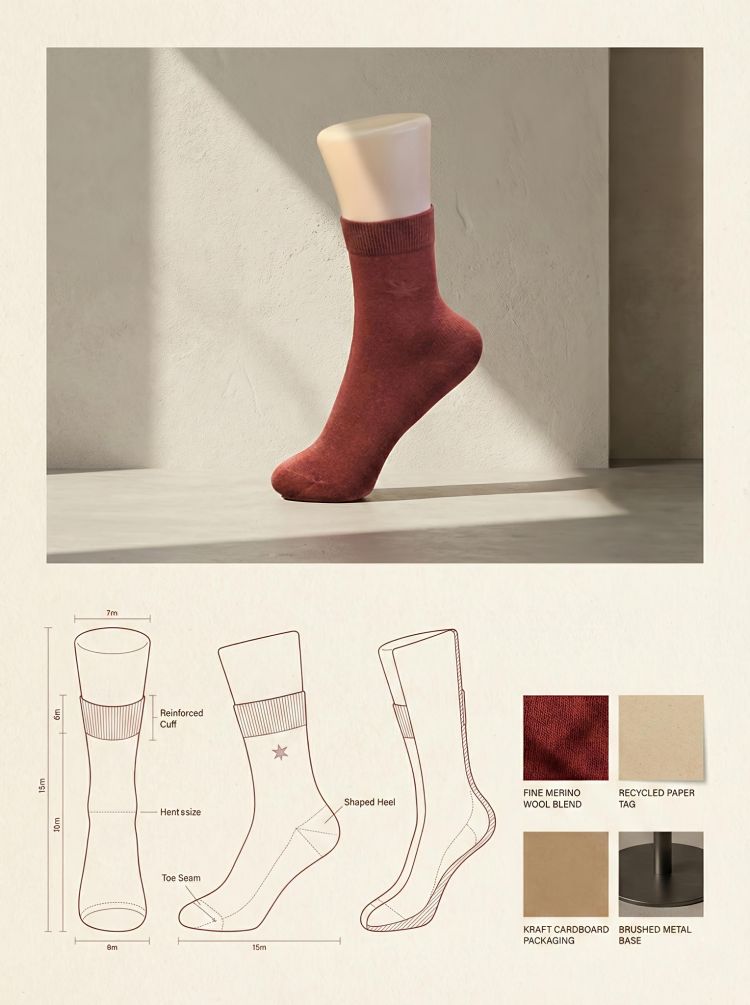
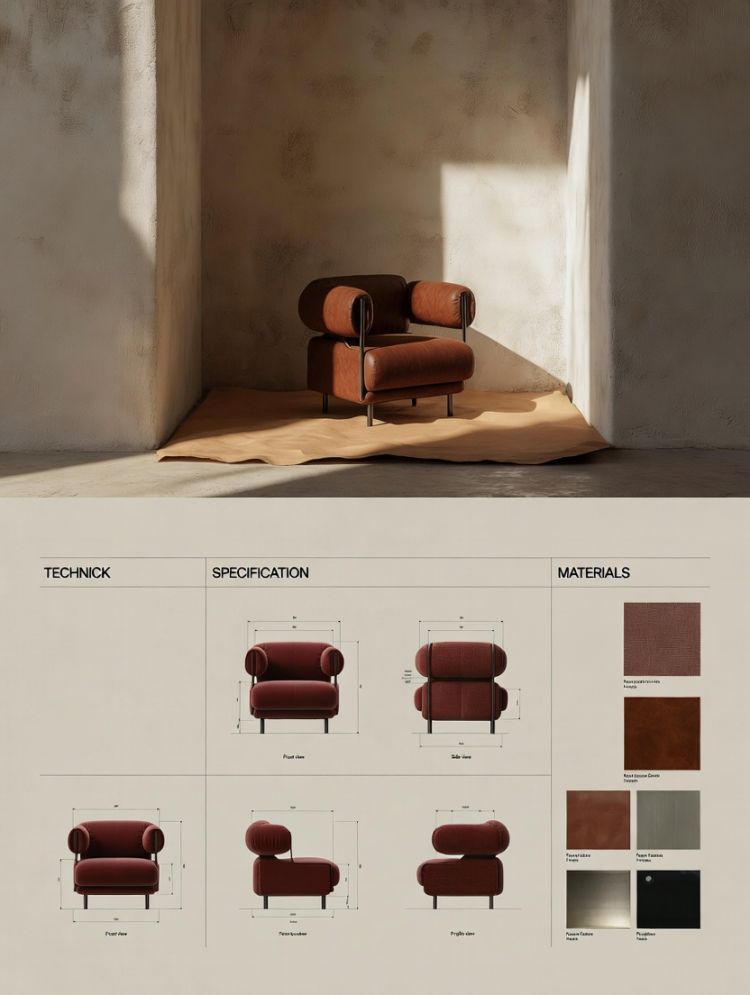
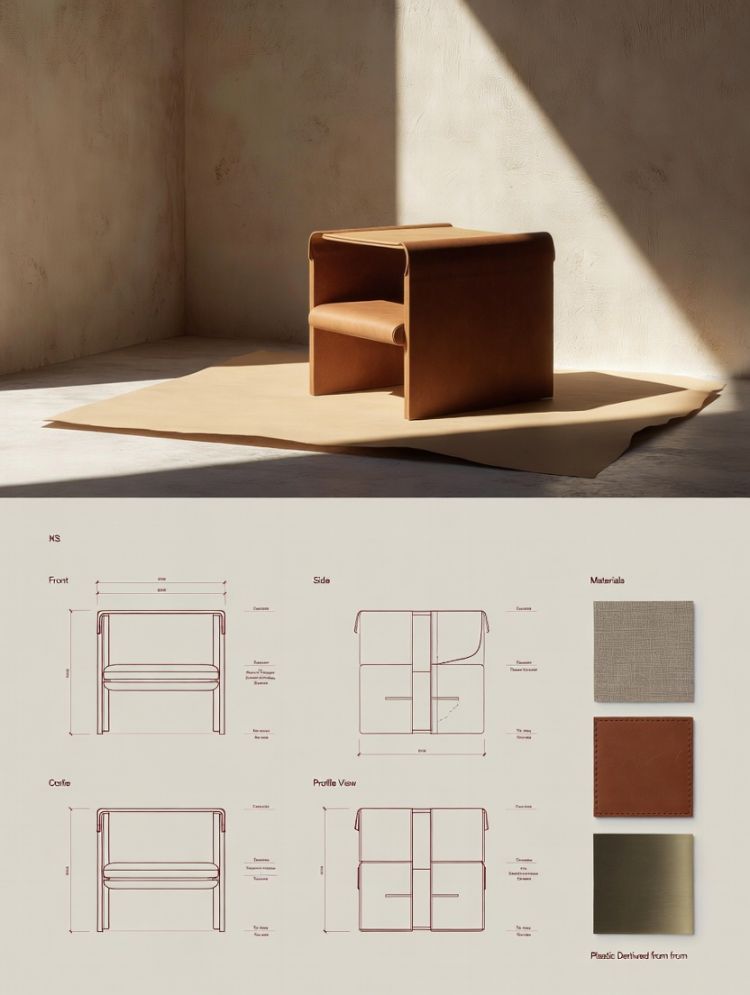
Use this prompt to generate your version? Share in the comments or on Twitter!
Explore more? View the Image & Design category
I hope you’ve found this Gemini Nano Banana Pro AI Prompt helpful.
Follow me @bigprompt for more.
Like/Repost if you can this prompt.
Internal link:
Pixar-Style 3D Cartoon Emoji Expression Grid Prompt
Fashion Scrapbook Page Prompt for Collage Style Full Body Looks
Instagram Pop-Out Frame Fashion Portrait Template Prompt
Cute Pixar-Style Character Emerging from X Profile Card Prompt
3D Physical Instagram Post Product Shot Prompt
Instagram 3D Post Prompt with Realistic UI and Studio Photography
Chibi 3D Character Render Prompt for Stylized Skateboarding Boy
Acoustic Stage Portrait Prompt | Live Music Performance with Guitar