
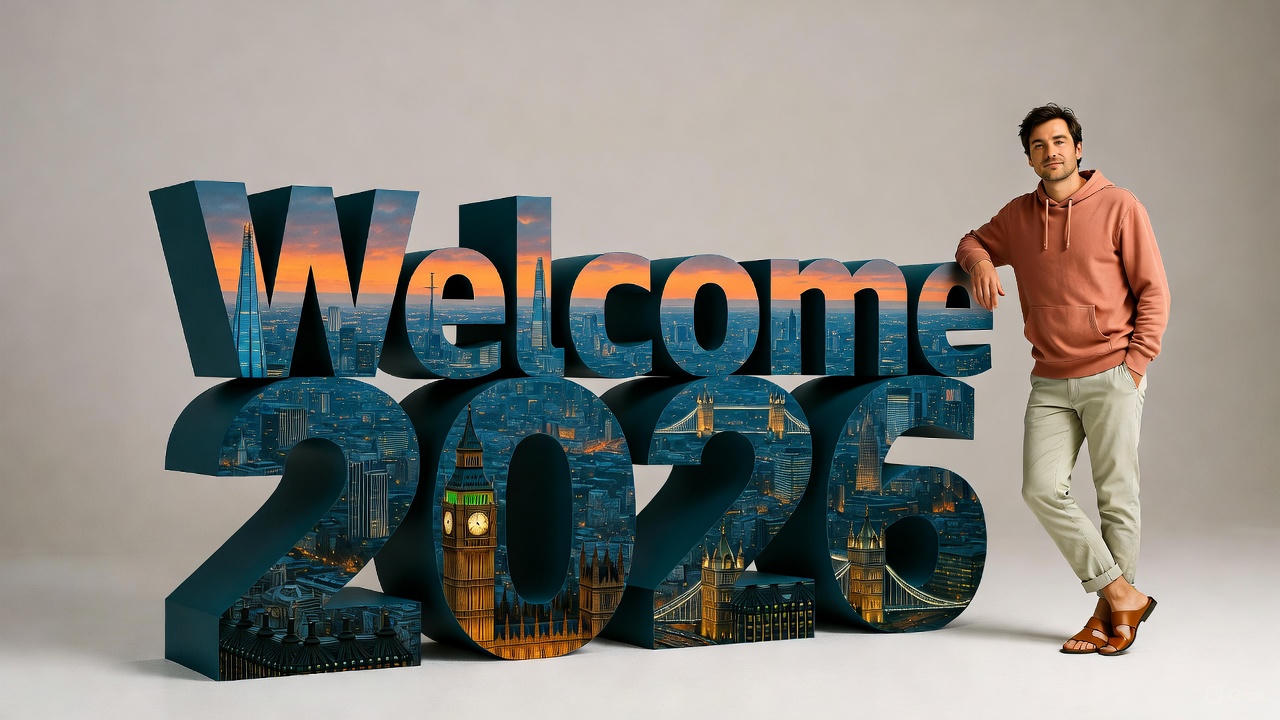
Tried this Welcome 2026 prompt on Nano Banana Pro and it’s perfect for New Year vibes.
You upload your own photo and it puts you in a clean studio shot, casually leaning against huge 3D block letters spelling “Welcome 2026”. The letters are filled with a dusk London skyline – Big Ben, The Shard, Tower Bridge all lit up in orange and blue tones. You’re in a peach hoodie, beige chinos rolled at the ankles, brown sandals, arm resting on the “E”, hand in pocket, relaxed pose. Softbox lighting, minimal grey gradient background, everything crisp and real-looking.
How to play around with it
- Open chatGPT / Grok / Gemini
- Upload your photo
- Input Prompt
Prompt For Welcome 2026 Prompt
A hyper-realistic 8k studio photograph featuring a uploaded photo face with 100% matching casually leaning against oversized, three-dimensional block letters spelling "Welcome 2026". The camera is at eye-level, capturing a full-body shot with a slightly wide perspective, emphasizing the scale difference between the person and the text. The person, with an uploaded face as reference, is wearing a peach-colored hoodie with a front pocket, light beige chinos rolled up at the ankles, and brown leather open-toe sandals. They are positioned to the right of the text, with their right arm resting on the top edge of the "E" in "WELCOME" and their left hand casually in their pocket, one leg slightly bent. The large 3D text, rendered with highly detailed textures, has a dark teal/blue extruded side and is filled with a vibrant, hyper-realistic cityscape at dusk, showcasing iconic London landmarks like Big Ben, The Shard, and Tower Bridge, illuminated against an orange and deep blue twilight sky within the letters. The "WELCOME" row is positioned above the "2026" row, both aligned to the left, with the top row reaching approximately the person's chest height. The background is a clean, minimalist, light grey to off-white gradient, brighter at the top and subtly darker towards the bottom. The scene is illuminated with softbox studio lighting, creating even, cinematic lighting with subtle shadows that define the depth of the 3D text and the person's form, ensuring highly detailed texture and crisp focus throughout.via: @anandh_ks_
Use this prompt to generate your version? Share in the comments or on Twitter!
Explore more? View the Image & Design category or Nano Banana series.
I hope you’ve found this Gemini Nano Banana Pro AI Prompt helpful.
Follow me @bigprompt for more.
Like/Repost if you can this prompt.
Internal link:
Past vs Present Split-Screen Prompt – Cinematic Time-Travel Photos
Magazine-Style Travel Photos: Prompt Guide for Real-Time Location & Weather Integration
3D National Dishes Prompt – Miniature Isometric Food Dioramas with Nano Banana Pro
Laser-Cut Maple Leaf Micro-Scene Prompt – Poetic Hyperrealism