
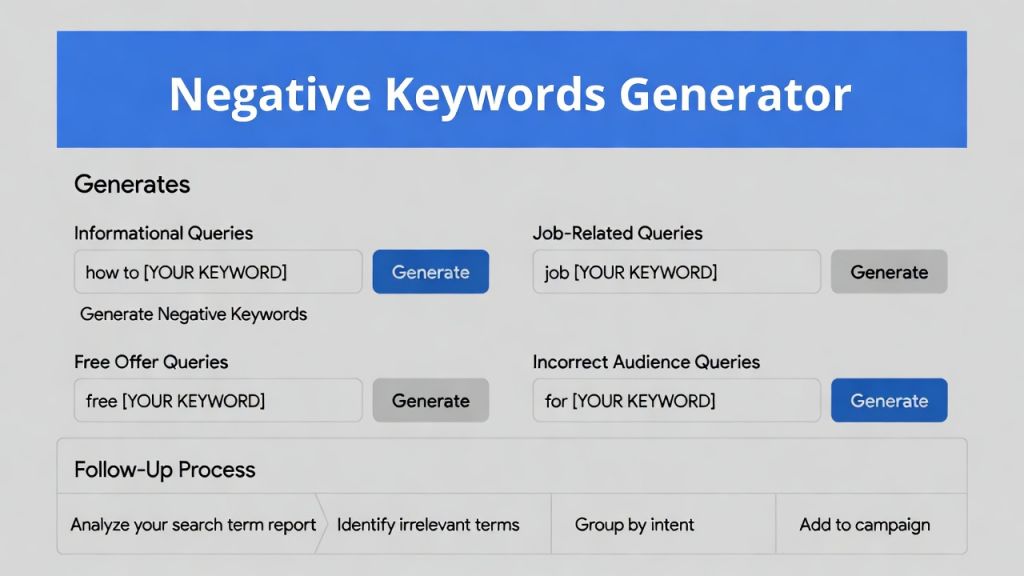
I manage a few Google Ads accounts and used to spend hours building negative keyword lists from scratch. This prompt setup handles most of the common waste categories quickly, and the search terms follow-up catches patterns I’d otherwise miss. It’s stayed in regular use because it cuts the weekly optimization time significantly.
Google Ads Negative Keywords Prompt
Use in Gemini (or any capable LLM like Grok, ChatGPT, Claude). Run the first prompt to get the base negative list. Then, in the same conversation, run the second prompt and paste your search terms report data. Two separate but connected prompts.
Prompt 1: Initial Negative Keyword List
I'm running Google Ads for [product].
My keyword is [keyword] in broad match.
I'm targeting [awareness] searches.

Generate a comprehensive negative keyword list including:

- Informational queries (how to, what is, why does)
- Job-seeking queries (salary, career, jobs, hiring)
- Free alternatives (free, download, open source)
- Wrong audience modifiers (for kids, for students, cheap, budget)
- Competitor brand names: [list them]
- Any other irrelevant modifiers

Format the output as:
[keyword]

One keyword per line, ready to paste into Google Ads.
Prompt 2: Search Terms Report Analysis
Here is my actual Google Ads search terms report from the last 30 days:

[paste search terms data]

Analyze it and identify:

- Patterns of irrelevant searches I should exclude
- Negative keywords I am missing
- Suggested match type changes based on what is actually triggering

Output the results as clear, actionable recommendations.
How to Use
For Prompt 1: Replace the placeholders ([product], [keyword], [awareness], [list them]) with your specifics. It outputs a clean, paste-ready list.
For Prompt 2: After running Prompt 1 (or anytime), paste your actual search terms report data (last 30–90 days, including search term, impressions, clicks, conversions) directly into the bracket. Run in the same chat thread for best context. The model will reference both prior output and new data.
When to Use
The Google Ads Negative Keywords Prompt works best for Google Ads accounts running broad or phrase match keywords where intent drift is common. It’s especially useful for lead generation, SaaS, and service-based campaigns where irrelevant searches can quietly consume budget before performance issues are obvious.
When Not to Use
It’s less useful for tightly controlled exact-match campaigns with low search volume. You should also avoid using the output blindly—brand terms, competitor names, or modifiers may still be relevant depending on your strategy and should be reviewed before applying at scale.
Use this prompt to generate your version? Share in the comments or on Twitter!
Explore more? View the Writing & Content Creation category.
I hope you’ve found this Gemini Nano Banana Pro AI Prompt helpful.
Follow me @bigprompt for more.
Like/Repost if you can this prompt.
Internal link:
Scandinavian Illustration Prompt for AI Image Generation
“How It Works” Educational Dioramas: 3D Isometric AI Prompt
Realistic Object Infographic AI Prompt: Technical Sketch & Explosion View
Cinematic Slow-Motion Pani Puri Video Prompt for AI Video Generation
Surreal Rocket Launch Inside a Glass Lightbulb
Soft UI Illustration Style: Rounded Shapes and Gentle Gradients
The Pixar-Style Avatar: Crafting Expressive 3D Characters from Photos
Fluffy 3D App Icon Prompt: Your Guide to High-End Tactile Renders