
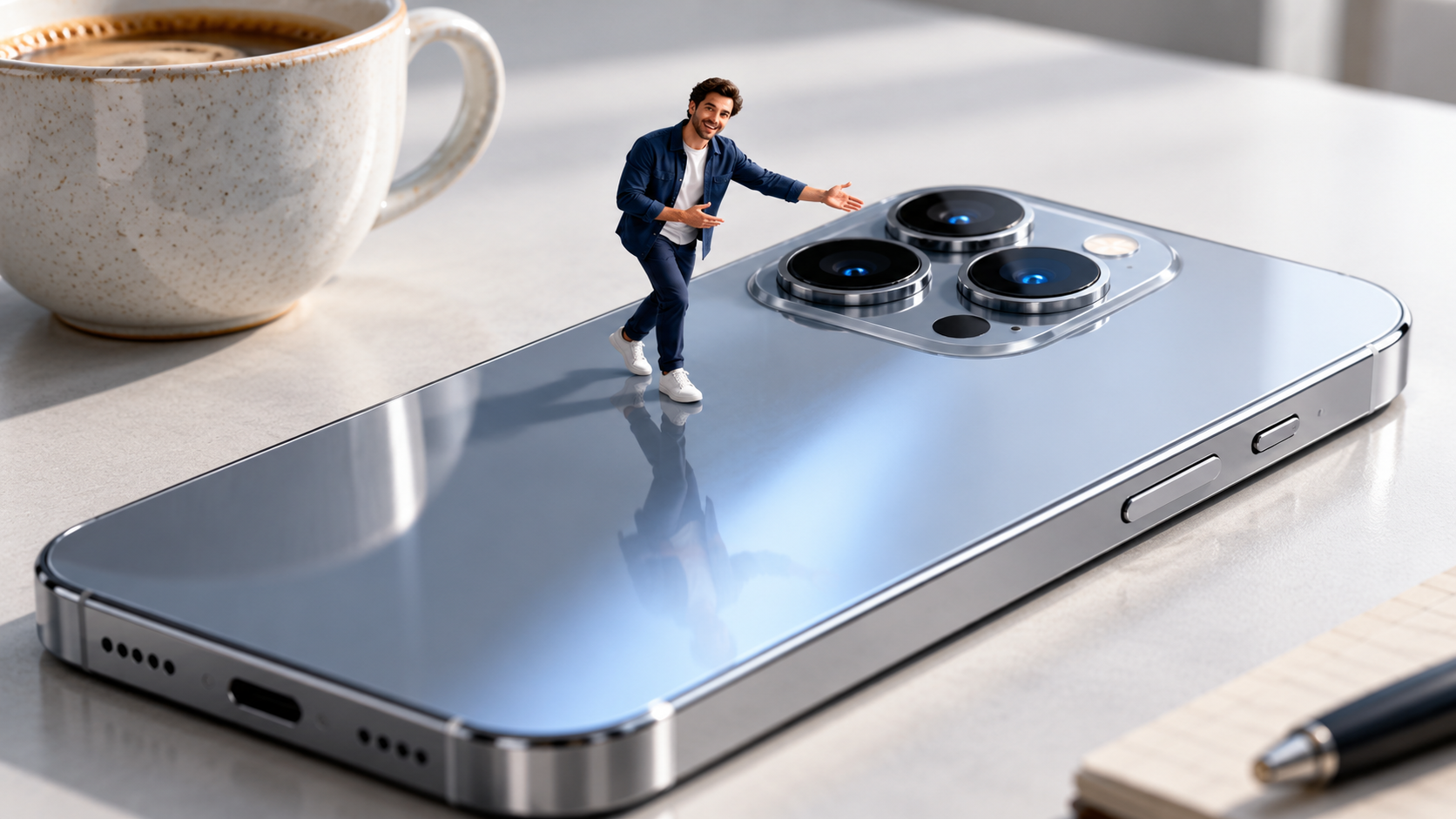
For AI video creators, this Veo 3.1 video ad prompt uses a miniature presenter to turn one product feature into a compact studio commercial. A tiny presenter moves across an oversized product, calls attention to one specific benefit, triggers a physical control, and then lets the camera pull back to reveal the scale illusion. The template is designed for short studio ads that need a clear action, a readable product benefit, and synchronized sound in one compact scene.
Video Example
The 10-second example shows a miniature presenter crossing a smartphone, drawing attention to the camera system, and leaping toward a side control before the frame widens to reveal the surrounding tabletop.
Strategic Deployment Guide
Model fit: Veo 3.1 is the primary model because this scene depends on synchronized action, camera movement, spoken delivery, music, and tactile sound effects. Use a Gemini surface that exposes Veo 3.1, keep one product and one feature, and choose a fallback only if it can preserve the same contact, scale, and audio continuity.
Veo 3.1 Video Ad Prompt Code
CONCEPT:
[campaign concept built around a contrast in scale]

VISUAL:
Create a premium studio commercial featuring [product]. A [miniature presenter scale and identity] moves across [interactive product surface]. As the surface responds beneath them, the presenter points toward [product feature to demonstrate] and delivers [short feature-focused line]. The presenter then performs [presenter action sequence] and physically activates [product control or mechanism].

CAMERA MOVEMENT:
Use [camera tracking movement]: begin with an extreme close-up at the miniature presenter's level and move alongside the presenter while keeping their scale and contact with the product consistent. Then pull back smoothly to a wide tabletop shot that reveals [wide-shot scale reference] beside the product.

LIGHTING AND AUDIO:
Use [studio lighting style]. Add [music style], the presenter's clear feature-focused voice, and [product-specific sound effects] synchronized to every contact.

CONTINUITY CONTROLS:
Keep the same presenter, wardrobe, body proportions, product geometry, surface reflections, and relative scale throughout the shot. Every jump, footstep, gesture, and control activation must make visible physical contact. Preserve one continuous action path from the close tracking shot to the wide scale reveal.

OUTPUT:
[duration, aspect ratio, resolution, and delivery format]

NEGATIVE PROMPT:
No brand logos, text overlays, subtitles, duplicated presenter, scale drift, changing product geometry, floating feet, broken contact, extra limbs, abrupt camera jumps, unrelated props, or unsynchronized sound.
Implementation Steps
- Choose one benefit: Select a product feature that can be demonstrated through a visible action, such as tapping a control, opening a mechanism, crossing a textured surface, or triggering a light.
- Design the scale interaction: Give the presenter a route across the product and specify where every footstep, gesture, jump, and control activation makes physical contact.
- Plan the camera reveal: Start at the presenter’s scale, then name one familiar object that makes the final wide shot immediately readable.
- Bind sound to action: Match dialogue to the feature, footsteps to the surface, and the final control sound to the exact moment of activation.
- Control the timing: Allocate the opening tracking action, feature callout, control activation, and final scale reveal before generation so no beat is compressed into an unreadable instant.
- Plan the finishing pass: Keep only a take with stable geometry and contact, then trim dead frames, normalize dialogue and music levels, and confirm the final aspect ratio for the intended channel.
- Inspect the whole clip: Reject versions with scale drift, foot sliding, product deformation, missed contact, or audio that lands before or after the visible action.
Application Scenarios
- Consumer-electronics launch teams: Produce a 6- to 10-second hero clip that demonstrates cameras, charging surfaces, hinges, speakers, or display controls.
- Home-appliance creative agencies: Deliver a paid-social product demo in which the presenter operates a button, valve, handle, tray, or material feature.
- Beauty and packaging brands: Build a vertical launch ad where the presenter opens, points to, or crosses a package while the hero product remains visually dominant.
- In-house social teams: Create a short feed-ready feature reveal for Reels, Shorts, or TikTok without expanding the concept into a multi-shot campaign.
Why This Prompt Works
The prompt gives each creative layer a separate job. The miniature presenter provides motion and personality, the product feature provides the message, the low tracking shot establishes the scale illusion, and the final wide shot proves that illusion with a familiar object. Lighting and synchronized audio then make the scene feel like a finished commercial rather than an isolated visual effect.
Troubleshooting & Optimization
- If the presenter slides: append “Each footstep visibly lands on the product surface before the next step, with a matching contact sound.”
- If the product changes shape: append “Preserve the exact product geometry and control positions in every frame; do not add, remove, or move components.”
- If the feature is unclear: replace the dialogue with “[one short feature benefit],” then make the next physical action operate that exact feature.
- If the scale reveal feels weak: append “Keep the [scale-reference object] outside the close shot and reveal it only during the final pull-back.”
- If the shot feels crowded: replace the scene inventory with “One presenter, one product, one feature, and one scale-reference object; no additional props or people.”
Miniature Product Demo FAQ
- Q: What is a Miniature Presenter Video Prompt?
A: It is a structured video instruction that combines a tiny presenter, an oversized product, a feature demonstration, camera movement, lighting, dialogue or music, sound effects, and output constraints in one generation brief. - Q: Which variables should I replace first?
A: Start with the product, feature, miniature presenter, action route, physical control, scale-reference object, and final output format. Adjust lighting and music after the action is clear. - Q: Does this require a reference image or first and last frames?
A: No. This template is written as a text-led single-scene prompt. If you add reference media in your chosen interface, treat that as a separate production choice rather than a capability demonstrated by this example. - Q: How do I evaluate the result?
A: Check identity and scale consistency, physical contact, product geometry, feature readability, camera continuity, and whether each spoken or tactile sound lands on the correct visible action.
Use this prompt to generate your version? Share it in the comments. Explore more in Video & Music and Prompt Engineering Guides, and follow @bigprompt for more executable prompt systems.
Continue with related video production guides
For a broader library of real video cases, explore how the Awesome Seedance prompt library turns video examples into reusable templates. If the project grows into a longer sequence, use the Anime Cooking Storyboard Prompt for 30-Second Recipe Films to study beat-by-beat shot planning. For an editable product-launch workflow outside generative video, see how the huashu-motion Skill builds editable product launch films.
Big Prompt Hub Review
This prompt is strongest when one product benefit can be translated into a simple physical action. The miniature presenter creates attention, but the result only works as an advertisement if the feature remains readable after the scale illusion is removed. Keep the commercial brief narrow and inspect the full clip for contact, continuity, and synchronized sound before using it in a campaign.
Leave a Reply
You must be logged in to post a comment.