
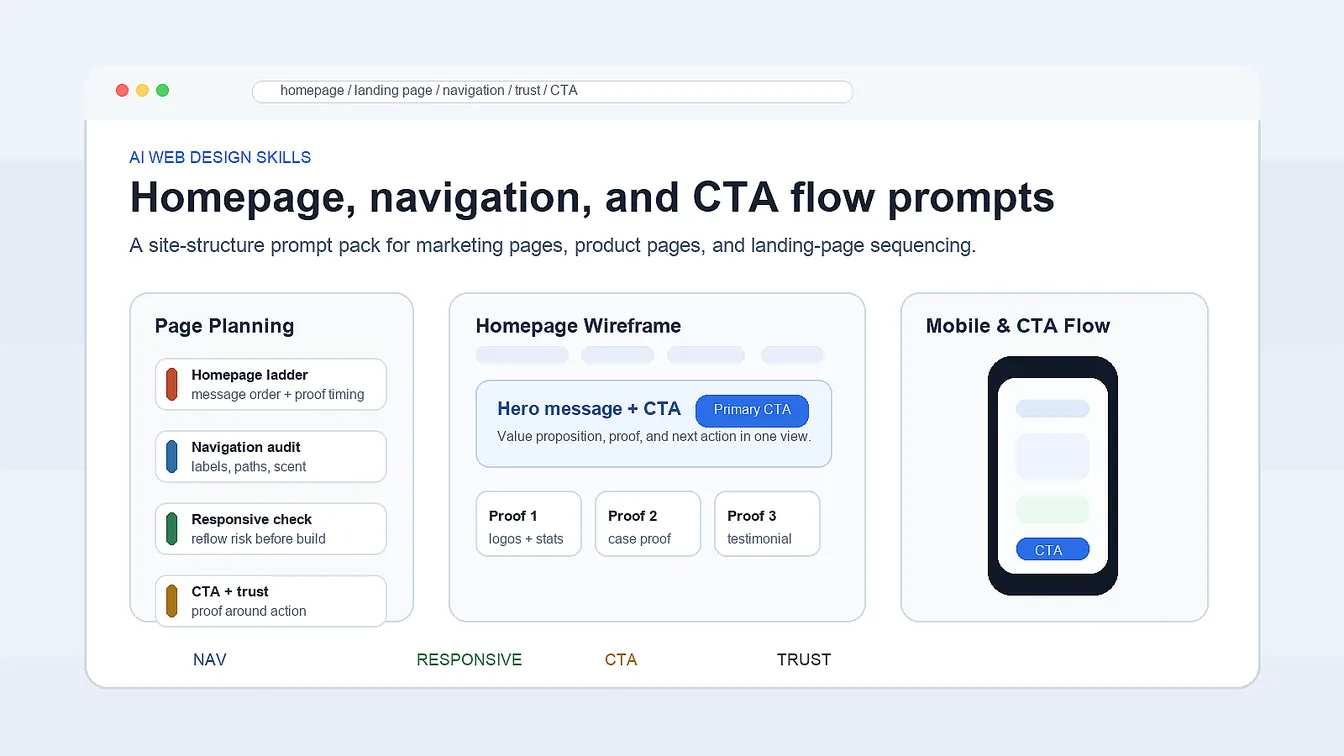
Homepage planning gets clearer when AI web design skills are applied to message flow, navigation clarity, CTA support, trust timing, and responsive behavior as explicit page-structure decisions, giving product teams, agencies, and freelance designers a cleaner path than taste-based homepage debate. This seven-part pack ties every output to a visible page choice instead of abstract styling talk.
AI Web Design Skills Pack Overview
This AI web design skills page is for the moment when design work becomes a website problem instead of a general design-judgment problem. The prompts below stay focused on page structure, scroll logic, navigation clarity, proof timing, CTA support, and responsive section behavior before the page turns into a pile of disconnected blocks.
- Track 1: Build a homepage message ladder with section priorities.
- Track 2: Sequence a landing page so the scroll earns trust.
- Track 3: Audit navigation, labels, and information scent.
- Track 4: Stress-test responsive behavior before development starts.
- Track 5: Pair CTA blocks with proof instead of empty persuasion.
- Track 6: Turn web style language into reusable UI rules.
- Track 7: Review accessibility and scanning risks for final web screens.
Within this cluster, move up to AI Design Skills Guide for the broader design judgment layer, then continue to Frontend UI Workflow with AI Prompts when the page is ready for component states, handoff, and build logic.
Strategic Deployment Guide
Pack model fit: ChatGPT or Claude first for page-structure reasoning, information architecture critique, and CTA sequencing; keep Gemini as a wording-variation fallback after the scroll logic is already clear. Run the pack in order from page structure to final scan audit, and only swap the site brief, page type, and trust assets rather than turning it into a loose collection of unrelated web prompts.
Prompt 1: Homepage Message Ladder
- Target: Designers defining homepage structure before styling decisions harden too early.
- Input: Product offer, target audience, primary action, proof points, and site type.
- Model fit: ChatGPT or Claude for content-to-layout sequencing and priority mapping.
- Expected output: A section-by-section homepage ladder with message role, CTA role, and proof timing.
- Quality check: The structure should explain why each section appears in that order.
ROLE:
Act as a web strategist and layout planner.

TASK:
Turn [product offer] into a homepage message ladder for [site type].

CONTEXT:
- audience: [target audience]
- primary action: [primary action]
- proof points: [proof points]

RETURN:
1. hero purpose
2. supporting sections in order
3. what each section must answer
4. where proof should appear
5. where the CTA should repeat

RULE:
Build the page around message progression, not just section count.
Prompt 2: Landing Page Scroll Logic
- Target: Designers organizing campaign or feature pages that need one strong conversion path.
- Input: Offer, traffic source, user objection list, proof assets, and CTA goal.
- Model fit: ChatGPT or Claude for persuasion structure and section sequencing.
- Expected output: A scroll order with hook, explanation, trust, objection handling, and conversion close.
- Quality check: The output should reduce friction instead of stacking random marketing blocks.
ROLE:
Act as a landing-page conversion planner.

INPUTS:
- offer: [offer]
- traffic source: [traffic source]
- objections: [user objection list]
- proof assets: [proof assets]
- CTA goal: [CTA goal]

RETURN:
1. scroll order
2. what each section resolves
3. where proof and testimonials belong
4. where CTA should appear
5. what should be removed to keep pace

RULE:
Optimize for one conversion path, not maximum block count.
Prompt 3: Navigation and IA Audit
- Target: Designers or founders reviewing whether labels and navigation actually help people move.
- Input: Current sitemap, nav labels, page goals, audience segments, and known confusion points.
- Model fit: ChatGPT or Claude for IA critique and label clarity review.
- Expected output: A list of weak labels, overlap risks, missing paths, and navigation repairs.
- Quality check: The audit should talk about information scent, not only shorter menu text.
ROLE:
Act as a web information-architecture reviewer.

AUDIT:
Review [current sitemap] and [nav labels].

CONTEXT:
- page goals: [page goals]
- audience segments: [audience segments]
- confusion points: [known confusion points]

RETURN:
1. unclear labels
2. overlapping destinations
3. missing user paths
4. better label options
5. simplified navigation suggestions

Judge the navigation by information scent, expectation matching, and click confidence.
Prompt 4: Responsive Layout Stress Test
- Target: Web designers checking what breaks when desktop layouts shrink into real mobile conditions.
- Input: Desktop frame, key modules, breakpoint assumptions, and mobile constraints.
- Model fit: ChatGPT or Claude for breakpoint reasoning and layout failure prediction.
- Expected output: A risk list for clipping, stacking, CTA loss, scan fatigue, and interaction crowding.
- Quality check: The output should identify which modules need reflow, not just smaller type.
ROLE:
Act as a responsive layout QA reviewer.

INPUTS:
- desktop frame: [desktop frame]
- key modules: [key modules]
- breakpoint assumptions: [breakpoint assumptions]
- mobile constraints: [mobile constraints]

RETURN:
1. what breaks first on mobile
2. modules that should reorder
3. spacing or density risks
4. CTA visibility issues
5. recommendations for a better small-screen flow

Focus on reflow, scanning, and tap comfort instead of only visual shrinkage.
Prompt 5: CTA and Trust Block Pairing
- Target: Designers improving pages where the CTA exists but confidence is too weak to click.
- Input: CTA text, offer type, trust assets, user objections, and page stage.
- Model fit: ChatGPT or Claude for persuasion structure and block pairing logic.
- Expected output: Better CTA-support pairings with trust cues, proof order, and copy framing.
- Quality check: The output should explain how proof supports the action instead of decorating it.
ROLE:
Act as a web conversion editor.

TASK:
Improve the pairing between [CTA text] and nearby trust blocks on a [page stage].

INPUTS:
- offer type: [offer type]
- trust assets: [trust assets]
- objections: [user objections]

RETURN:
1. best trust element before the CTA
2. best trust element after the CTA
3. supporting copy ideas
4. what to cut if the section feels noisy
5. stronger CTA-support combinations

Keep the focus on action confidence, not decorative persuasion.
Prompt 6: Web Style to UI Rules
- Target: Teams translating website style direction into reusable UI choices instead of one-off mockups.
- Input: Brand language, references, page types, palette notes, and typography goals.
- Model fit: ChatGPT or Claude for systemizing website style decisions.
- Expected output: A web UI rule sheet for spacing, card style, type scale, imagery, and emphasis.
- Quality check: The rules should feel reusable across multiple pages, not tied to one hero shot.
ROLE:
Act as a web UI systems editor.

INPUTS:
- brand language: [brand language]
- references: [references]
- page types: [page types]
- palette notes: [palette notes]
- typography goals: [typography goals]

RETURN:
1. spacing rules
2. typography behavior
3. card and surface rules
4. image treatment rules
5. emphasis hierarchy
6. reuse guidance across pages

Translate style into repeatable web rules, not moodboard language.
Prompt 7: Accessibility and Scan Audit
- Target: Designers reviewing nearly-final web pages for clarity, scan speed, and interface safety.
- Input: Final page frame, text density, interaction map, and page purpose.
- Model fit: ChatGPT or Claude for structured web-page audit notes.
- Expected output: A page-risk list for scanning, contrast, clarity, label load, and action ambiguity.
- Quality check: The audit should point to likely user hesitation, not just aesthetic preference.
ROLE:
Act as a final-pass website reviewer.

AUDIT:
Review [final page frame] for [page purpose].

INPUTS:
- text density: [text density]
- interaction map: [interaction map]

RETURN:
1. scanning slowdowns
2. clarity risks
3. contrast issues
4. weak labels or buttons
5. sections that feel visually overloaded
6. quick priority fixes

Judge the page as a working website, not only as a static design shot.
Selection Logic
Use Prompt 1 and Prompt 2 when the page structure is still fluid. Use Prompt 3 when the information architecture feels muddy, then run Prompt 4 before a desktop-only composition becomes a responsive problem. Use Prompt 5 when clicks feel weak, Prompt 6 when the site needs consistency across pages, and Prompt 7 before handoff or launch review.
Implementation Steps
- Map the page: Run Prompt 1 before building sections in Figma.
- Audit navigation: Use Prompt 3 on labels before layout polish.
- Stress mobile flow: Run Prompt 4 before responsive QA or build.
- Pair proof and CTA: Use Prompt 5 before launch or A/B review.
Use Cases
- SaaS product pages: Clear section order before content and layout drift.
- Campaign landing pages: Conversion-focused scroll structure for paid traffic.
- Agency launch pages: Faster navigation and proof decisions before review rounds.
- Startup marketing sites: Responsive web logic shared across design and product teams.
Why These Prompts Work
These prompts work because they treat web design as sequence and constraint management, not as a hero mockup contest. Each one forces the model to think about message order, information scent, responsive drift, CTA support, or system reuse. That prompt-engineering shift keeps site work tied to scroll logic, scan behavior, and page purpose instead of one pretty frame.
Troubleshooting & Optimization
- Desktop-only thinking: Stress-test reflow before styling gets locked.
- Too many sections: Sequence by trust and action, not idea dumping.
- Weak CTA proof: Pair each action with the right confidence cue.
- Vague web style: Translate taste into reusable UI rules.
FAQ
- Q: What do AI web design skills usually include in real client or product work?
A: The strongest version of this skill set covers homepage planning, landing-page sequencing, navigation clarity, responsive thinking, CTA support, trust structure, and final scan review. The value comes from shaping how the page works, not only how it looks. - Q: Which skills matter most before development starts?
A: Structure, information architecture, responsive reflow, and CTA-proof pairing matter most before development. Those choices affect the whole build and are much harder to fix after components and content are already wired together. - Q: Can this pack help if the website already has a finished visual style?
A: Yes. Even with a finished style, these prompts can still improve sequence, navigation, CTA logic, trust timing, and scan clarity. They become evaluation tools instead of ideation tools. - Q: How is this different from frontend implementation work?
A: This pack focuses on structure, page behavior, and interface decisions before code. Frontend implementation work takes those decisions into component states, responsive behavior, accessibility details, and production constraints.
Use this prompt pack to generate your version? Share in the comments or on Twitter!
Explore more? View the Image & Design or Prompt Engineering Guides category.
I hope you found this web design prompt pack helpful.
Follow me @bigprompt for more.
Like/Repost if this prompt pack is useful.
Internal link:
Build AI Design Skills with a Practical Prompt Guide
Create TV Show Miniature Diorama Prompt Scenes
Build Stock Scanner Prompts for Market Research Workflows
Create Paper Cut Collage Prompt Scenes with Childlike Crayon Style
Create World Cup Team Poster Prompt Assets for National Team Campaigns
Big Prompt Hub Review
This pack is useful because it pushes AI-assisted website work toward structure, sequence, trust, and responsive reality instead of surface polish alone. The prompts help teams reason about what a page must say, when proof should appear, and where responsive friction or navigation confusion will show up first. The main limit is that real performance still depends on content quality, visual craft, and implementation accuracy after the planning prompts are done.