
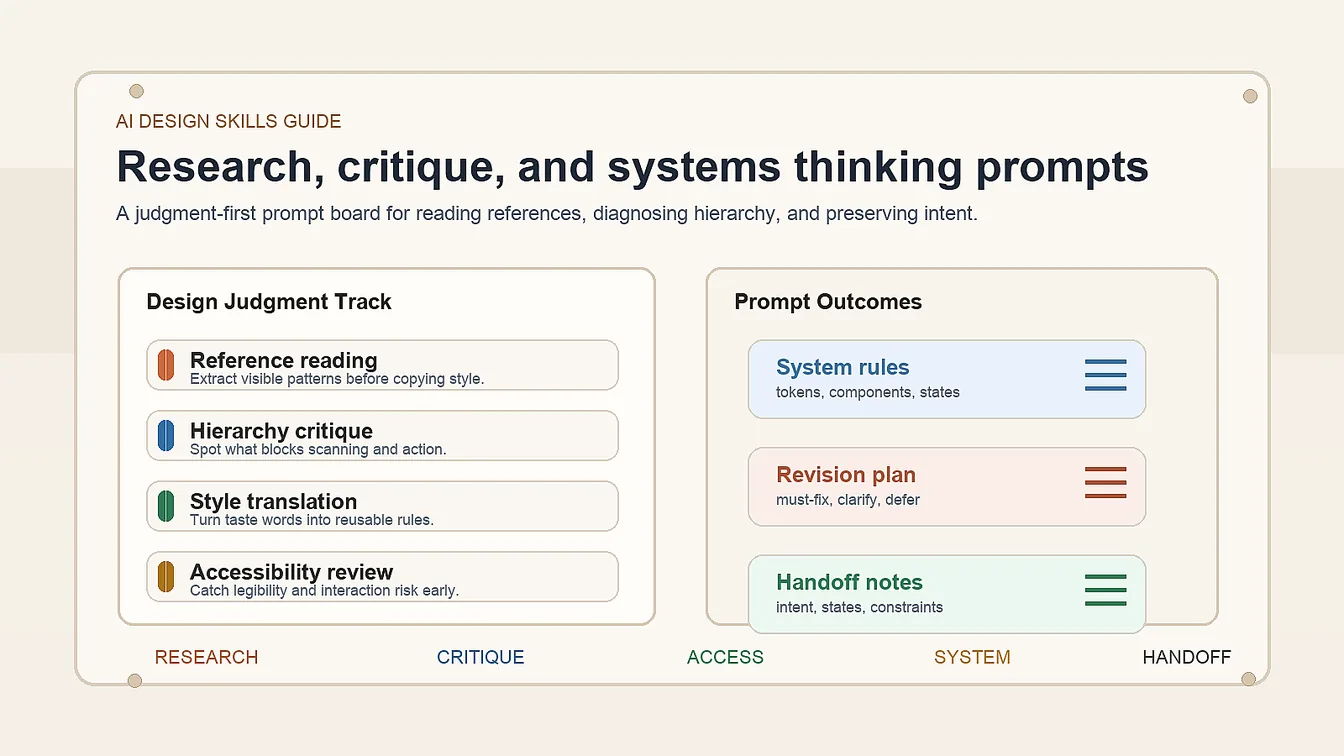
Design judgment gets stronger when AI design skills are applied across reference reading, hierarchy critique, accessibility review, revision planning, and developer handoff as one connected decision chain, giving product designers, freelancers, and creative leads a clearer way to work without falling back on vague taste language. The seven prompts below are built to turn reactions into visible reasoning and cleaner follow-through.
Pack Overview
This AI design skills guide is for people who already use AI, but need sharper judgment around what to keep, what to reject, and how to turn raw output into useful design direction. The prompt pack below stays at the judgment layer: it helps with reading references, diagnosing hierarchy, translating taste, building systems, planning revisions, and preserving intent across handoff.
- Track 1: Turn reference boards into named visual patterns instead of loose inspiration.
- Track 2: Diagnose layout hierarchy before you tweak color or polish.
- Track 3: Translate fuzzy style language into usable design direction.
- Track 4: Audit accessibility and legibility with concrete repair notes.
- Track 5: Convert scattered screens into one system of reusable rules.
- Track 6: Turn stakeholder comments into a revision plan with priorities.
- Track 7: Build developer handoff notes that preserve intent and states.
Within this cluster, continue with AI Web Design Skills Prompt Pack for site-specific deliverables and Frontend UI Workflow with AI Prompts for build-to-handoff execution.
Strategic Deployment Guide
Pack model fit: ChatGPT or Claude first for reasoning-heavy critique, system naming, and handoff wording; Gemini is useful when you want alternate phrasing after the evaluation frame is already locked. Keep the seven-prompt judgment sequence intact, then swap the specific reference board, screen, or handoff artifact instead of broadening the pack into generic image-generation ideation.
Prompt 1: Visual Reference Mining
- Target: Designers extracting useful patterns from moodboards, screenshots, or brand references.
- Input: Reference set, project type, audience, product goal, and brand tone.
- Model fit: ChatGPT, Claude, or Gemini for visual decomposition and pattern naming.
- Expected output: A table of repeatable patterns for composition, typography, spacing, texture, and emphasis.
- Quality check: The output should name visible decisions, not vague adjectives like modern or clean.
ROLE:
Act as a senior design research partner.

CORE TASK:
Review [reference set] and extract repeatable visual patterns for [project type].

OUTPUT FORMAT:
Return a structured table with:
1. pattern name
2. where it appears
3. why it works
4. when to reuse it
5. what to avoid copying blindly

CONSTRAINTS:
- keep the audience as [audience]
- interpret the references through [brand tone]
- connect every pattern to [product goal]
- do not describe references only as trendy, premium, or clean without visual evidence

ANALYZE:
composition rhythm, spacing logic, type scale, color role, texture, icon use, CTA emphasis, and information density.
Prompt 2: Layout Hierarchy Breakdown
- Target: Designers critiquing one screen, hero, or landing page before iteration.
- Input: Screenshot or Figma frame, core action, target audience, and success metric.
- Model fit: ChatGPT or Claude for verbal hierarchy critique and action ordering.
- Expected output: An eye-path review, priority conflicts, weak zones, and a repair order.
- Quality check: The critique should prioritize element relationships, not only recommend bigger text.
ROLE:
Act as a UI hierarchy critic.

TASK:
Review [screen or frame] for [core action].

RETURN:
1. first thing the eye sees
2. second and third reading order
3. what competes with the primary action
4. what feels underweighted
5. a repair sequence from highest to lowest impact

CONTEXT:
- audience: [target audience]
- business goal: [success metric]
- platform: [platform context]

FOCUS ON:
headline contrast, CTA prominence, spacing tension, grouping, scan path, section rhythm, and unnecessary visual noise.
Prompt 3: Style Direction Translation
- Target: Designers turning subjective words into art direction that a team can actually follow.
- Input: Brand adjectives, reference notes, audience, and deliverable type.
- Model fit: ChatGPT or Claude for converting fuzzy taste language into design rules.
- Expected output: A style brief with do, avoid, palette direction, type behavior, and motion mood.
- Quality check: The brief should convert each adjective into observable visual behavior.
ROLE:
Act as a design director translating taste into rules.

INPUTS:
- adjectives: [brand adjectives]
- reference notes: [reference notes]
- audience: [audience]
- deliverable: [deliverable type]

RETURN A STYLE DIRECTION SHEET:
1. visual traits to emphasize
2. palette direction
3. typography behavior
4. imagery or texture role
5. layout tone
6. motion or interaction mood
7. explicit avoid list

RULE:
Translate every adjective into concrete visual behavior. Do not leave any direction at the level of vibe only.
Prompt 4: Accessibility and Legibility Audit
- Target: Designers checking whether polished AI-assisted layouts still read clearly in real use.
- Input: One design frame, text roles, state list, device context, and any known constraints.
- Model fit: ChatGPT or Claude for structured audit language before manual verification.
- Expected output: Risk list for contrast, hierarchy, labels, state clarity, and overloaded copy.
- Quality check: Findings should reference actual UI roles and likely user failure points.
ROLE:
Act as an accessibility-focused UI reviewer.

AUDIT:
Review [design frame] in the context of [device context].

CHECK:
1. contrast risk
2. font-size hierarchy
3. label clarity
4. button or link ambiguity
5. state readability
6. dense blocks that slow scanning
7. missing explanation for icons or controls

CONTEXT:
- text roles: [text roles]
- state list: [state list]
- constraints: [known constraints]

OUTPUT:
Return findings in priority order with quick fixes and which issues require manual accessibility validation.
Prompt 5: Design System Rule Builder
- Target: Designers unifying multiple screens into one reusable system before drift spreads.
- Input: Screen set, component list, interaction patterns, and platform constraints.
- Model fit: Claude or ChatGPT for system rule synthesis and naming.
- Expected output: Reusable tokens, component rules, state behavior, and consistency gaps.
- Quality check: The system should explain what stays fixed and what can vary by context.
ROLE:
Act as a design-system editor.

TASK:
Review [screen set] and consolidate them into one system for [platform constraints].

RETURN:
1. reusable component families
2. token candidates
3. spacing rules
4. type scale rules
5. state behavior rules
6. places where the current screens drift
7. what should be documented for future contributors

INPUT DETAILS:
- component list: [component list]
- interactions: [interaction patterns]

Do not return generic design-system theory. Build rules from the actual screens provided.
Prompt 6: Feedback-to-Revision Planner
- Target: Designers translating messy comments into a revision order that preserves design intent.
- Input: Feedback notes, current design goal, deadline, and non-negotiable constraints.
- Model fit: ChatGPT or Claude for prioritization, synthesis, and revision planning.
- Expected output: A grouped feedback map with must-fix, clarify, and ignore-later buckets.
- Quality check: The plan should separate taste noise from issues that change usability or business goals.
ROLE:
Act as a design review synthesizer.

INPUTS:
- feedback notes: [feedback notes]
- design goal: [current design goal]
- deadline: [deadline]
- constraints: [non-negotiable constraints]

RETURN:
1. issues that affect usability or conversion
2. issues that affect consistency
3. feedback that needs clarification
4. comments that can be deferred
5. a recommended revision order
6. a short rationale for each recommendation

RULE:
Protect the core design goal instead of treating every comment as equal.
Prompt 7: Handoff Clarity Builder
- Target: Designers preparing cleaner handoff notes for frontend developers and reviewers.
- Input: Final frame, component states, responsive notes, and implementation caveats.
- Model fit: ChatGPT or Claude for concise documentation and state articulation.
- Expected output: A handoff sheet covering intent, state logic, spacing rules, and open questions.
- Quality check: The output should help a frontend teammate preserve behavior, not only recreate pixels.
ROLE:
Act as a design-to-development handoff writer.

TASK:
Document [final frame] so a frontend teammate can implement it with fewer assumptions.

INCLUDE:
1. component intent
2. state list
3. responsive behavior
4. spacing and alignment rules
5. interaction expectations
6. copy or icon dependencies
7. open questions that should be resolved before build

INPUTS:
- component states: [component states]
- responsive notes: [responsive notes]
- caveats: [implementation caveats]

RULE:
Prioritize behavior and decision logic, not just appearance.
Selection Logic
Use Prompt 1 and Prompt 3 when the team still needs taste and direction. Use Prompt 2 and Prompt 4 when the layout exists but feels hard to read or defend. Use Prompt 5 when screens are multiplying without a shared system. Use Prompt 6 after reviews, and finish with Prompt 7 before engineering picks up the work.
Implementation Steps
- Audit references: Run Prompt 1 on a reference board before new layouts.
- Check one Figma layout: Use Prompt 2 on a screenshot or UI frame.
- Prioritize feedback: Use Prompt 6 after a design audit before changing palette or CTA.
- Write handoff notes: Use Prompt 7 before frontend build or QA.
Use Cases
- Product reviews: Figma frame critique before sprint handoff.
- Brand sites: Landing-page direction for freelance or agency delivery.
- Portfolio decks: Clear design rationale for case-study storytelling.
- Startup MVPs: Shared UI logic for founders, designers, and developers.
Why These Prompts Work
These prompts work because they train judgment, not just generation. Each one forces the model to name relationships, priorities, and constraints instead of spraying more visual options. That shift matters because stronger design judgment usually comes from better evaluation loops, tighter constraint choices, and drift control: reading references clearly, diagnosing hierarchy, translating taste into rules, and preserving intent through revision and handoff.
Troubleshooting & Optimization
- Only chasing style: Run hierarchy and accessibility prompts before polish.
- Vague art direction: Translate adjectives into palette, type, and layout rules.
- Equal-weight feedback: Separate must-fix issues from taste noise.
- Pixel-only handoff: Document states, behavior, and responsive intent.
FAQ
- Q: What are AI design skills in day-to-day product or brand work?
A: Strong AI design skills mean you can read references, judge hierarchy, translate style language, audit accessibility, and document handoff intent. The valuable part is not only generating options, but knowing which decisions improve clarity and which ones create drift. - Q: Which skills matter most when a layout already exists?
A: Hierarchy critique, accessibility review, and feedback prioritization matter most once a screen is visible. Those skills help teams decide what to fix first instead of endlessly restyling the same frame. - Q: Can this prompt pack replace formal design training?
A: No. It can accelerate critique, naming, and iteration, but it does not replace typography knowledge, composition judgment, accessibility standards, or product reasoning. The best use is to sharpen decision-making around real design work. - Q: How do I improve this kind of judgment without copying one aesthetic?
A: Use prompts that extract systems and principles from references instead of cloning surfaces. If you keep naming hierarchy, spacing, tone, and state logic, you learn transferable judgment instead of one style recipe.
Use this prompt pack to generate your version? Share in the comments or on Twitter!
Explore more? View the Prompt Engineering Guides or Image & Design category.
I hope you found this AI design prompt guide helpful.
Follow me @bigprompt for more.
Like/Repost if this prompt pack is useful.
Internal link:
Create TV Show Miniature Diorama Prompt Scenes
Build Stock Scanner Prompts for Market Research Workflows
Create Paper Cut Collage Prompt Scenes with Childlike Crayon Style
Create World Cup Team Poster Prompt Assets for National Team Campaigns
Build AI Video Ads with GPT Image 2 Seedance Workflow
When the work moves into implementation choices, choose skills and tools for frontend UI work.
Big Prompt Hub Review
This guide is useful because it makes AI-assisted design more deliberate without pretending the model is the designer. The prompts train pattern reading, critique, system logic, and handoff clarity around real deliverables, which is where stronger design judgment usually shows up. The main limitation is that you still need human taste, accessibility validation, and context about brand or product goals before anything should ship.