
For illustrators, travel editors, and destination marketers, the city matchboxes prompt turns a place into a collectible poster by combining one landmark, one local movement cue, one everyday detail, and a restrained matchbox frame. It is designed for reusable city editions rather than a one-off Istanbul recreation, so the reader can change the place without losing the visual hierarchy.
Image Examples

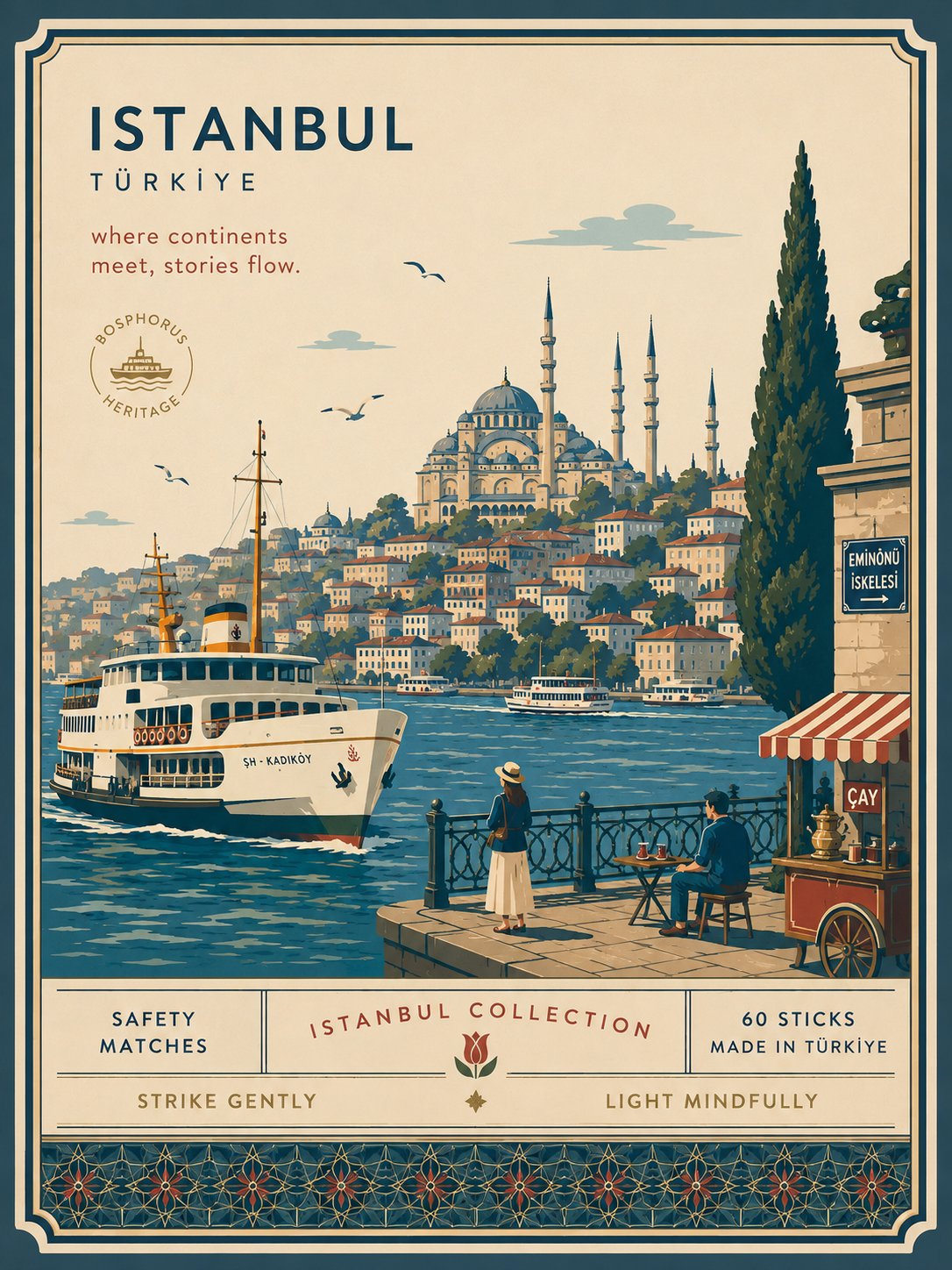
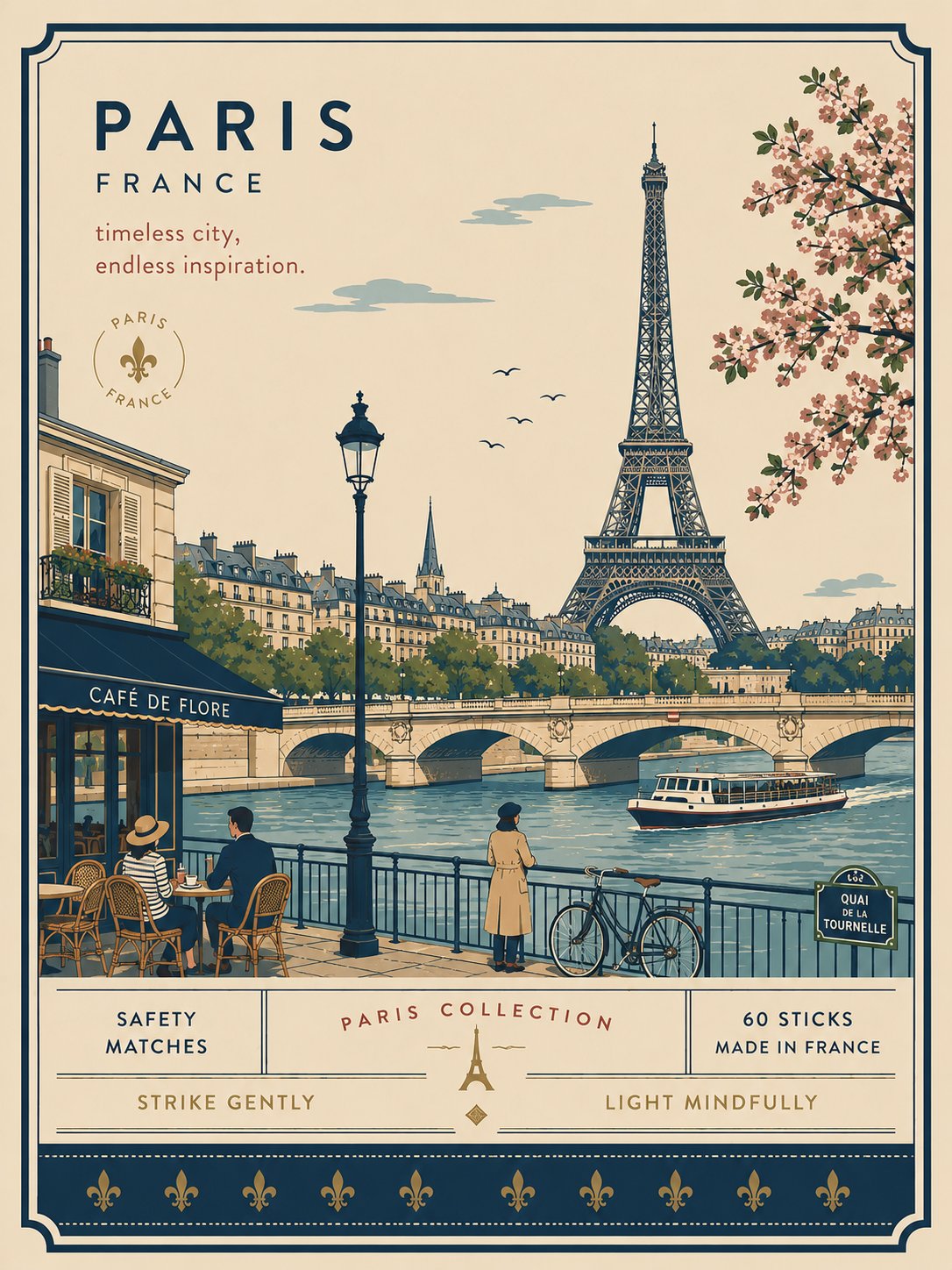

Strategic Deployment Guide
Model fit: GPT Image 2 is the primary choice because it gives the city label and controlled poster layout the clearest first-pass structure. If it is unavailable, use ChatGPT image generation as the fallback for conversational iterations; keep the same city identity, format, landmark, and tagline constraints, then rerender only the failing area.
city matchboxes prompt Code
ROLE: Create a premium minimalist flat-vector collectible matchbox poster for [CITY], [COUNTRY], in [FORMAT] vertical format.
SUBJECT/IDENTITY: Use one recognizable local viewpoint and [LANDMARK] as the focal point.
COMPOSITION: Keep one focal landmark, generous negative space, and a restrained matchbox frame.

Interpret the place through one landmark, one local way of moving, one everyday lifestyle moment, one native plant or environmental trait, and one viewpoint that belongs to the city. Use [LANDMARK] as the focal point, [MOVEMENT] as the human cue, and [LIFESTYLE MOMENT] as a quiet supporting detail.

Add [NATIVE PLANT/ENVIRONMENT]. Place the city name in the upper-left with generous negative space and add one short tagline: [TAGLINE]. Use [COLOR PALETTE], flat colors, delicate uniform outlines, restrained packaging borders, and a premium editorial finish.

SCENE LOGIC: Include 3–6 small figures, [MOVEMENT], [LIFESTYLE MOMENT], and sparse local details. Keep the scene purpose-built for the selected city rather than repeating one tourist-poster formula.
TYPOGRAPHY: Place the city name upper-left and use [TAGLINE] as the only short supporting label.
PALETTE/MATERIAL: Apply [COLOR PALETTE], flat colors, delicate uniform outlines, restrained packaging borders, and a premium editorial finish.
NEGATIVE PROMPT: No photorealism, watercolor, gradients, heavy shadows, clutter, crowds, oversized characters, copied brand labels, or unreadable decorative text.
OUTPUT: One polished, print-ready collectible poster with legible typography.
Implementation Steps
- Set the inputs: Replace all nine variables, then verify that the landmark and environment belong to the selected city.
- Render the structure: Paste the completed Prompt Code into GPT Image 2, lock the vertical format, and keep the city label in the upper-left negative space.
- Repair selectively: If the landmark is generic, replace [LANDMARK] and [CITY] together; if the layout drifts, append “preserve the matchbox frame and focal hierarchy.”
- Finish the asset: Run a manual text check, then use typographic masking or Illustrator/Figma post-rendering for any label that is not legible.
Application Scenarios
- Travel illustrators: create a consistent set of city prints for a shop or exhibition.
- Destination marketing teams: produce vertical social covers for a city campaign.
- Editorial teams: build a collectible city series for a travel feature or newsletter.
Why This Prompt Works
The prompt separates identity from decoration: the landmark, movement, lifestyle moment, and environment define the place before the palette and packaging are applied. That order gives the model concrete visual anchors, while the negative prompt removes the crowded details that would otherwise compete with the short city label.
- Generic result: replace the landmark and viewpoint together.
- Busy frame: remove secondary landmarks and reduce the crowd.
- Weak text: shorten the tagline and restore negative space.
Troubleshooting & Optimization
Common Mistakes and Fixes
- Generic city: Replace the landmark and viewpoint together, then rerender.
- Weak local identity: Append “use one observable local action and one place-specific environmental detail.”
- Unreadable text: Append “keep the tagline short, upper-left, and surrounded by negative space,” then apply typographic masking or post-render text cleanup.
FAQ
- Q: How does the city matchboxes prompt work for another city?
A: Replace every city-specific variable, then choose a new landmark, movement cue, environment, and palette that can be checked against the selected place. - Q: What should I change first when the poster feels generic?
A: Change the viewpoint and landmark first. Styling changes alone rarely add local identity if the scene anchor is still generic. - Q: What format is best for a social travel poster?
A: Use the format required by the deliverable, such as a 3:4 vertical canvas for a mobile cover, and keep the city label in a clear area.
Explore the vintage editorial travel collage prompt and the passport city diorama prompt for related visual systems.
Explore Image & Design and follow @bigprompt. The four examples remain separate visual references; the Prompt Code is abstracted for reuse.
Big Prompt Hub Review
This template is useful when a city series needs a stable visual hierarchy with room for local variation. Its main limitation is text rendering, so the final poster should be checked at the intended display size before delivery.