
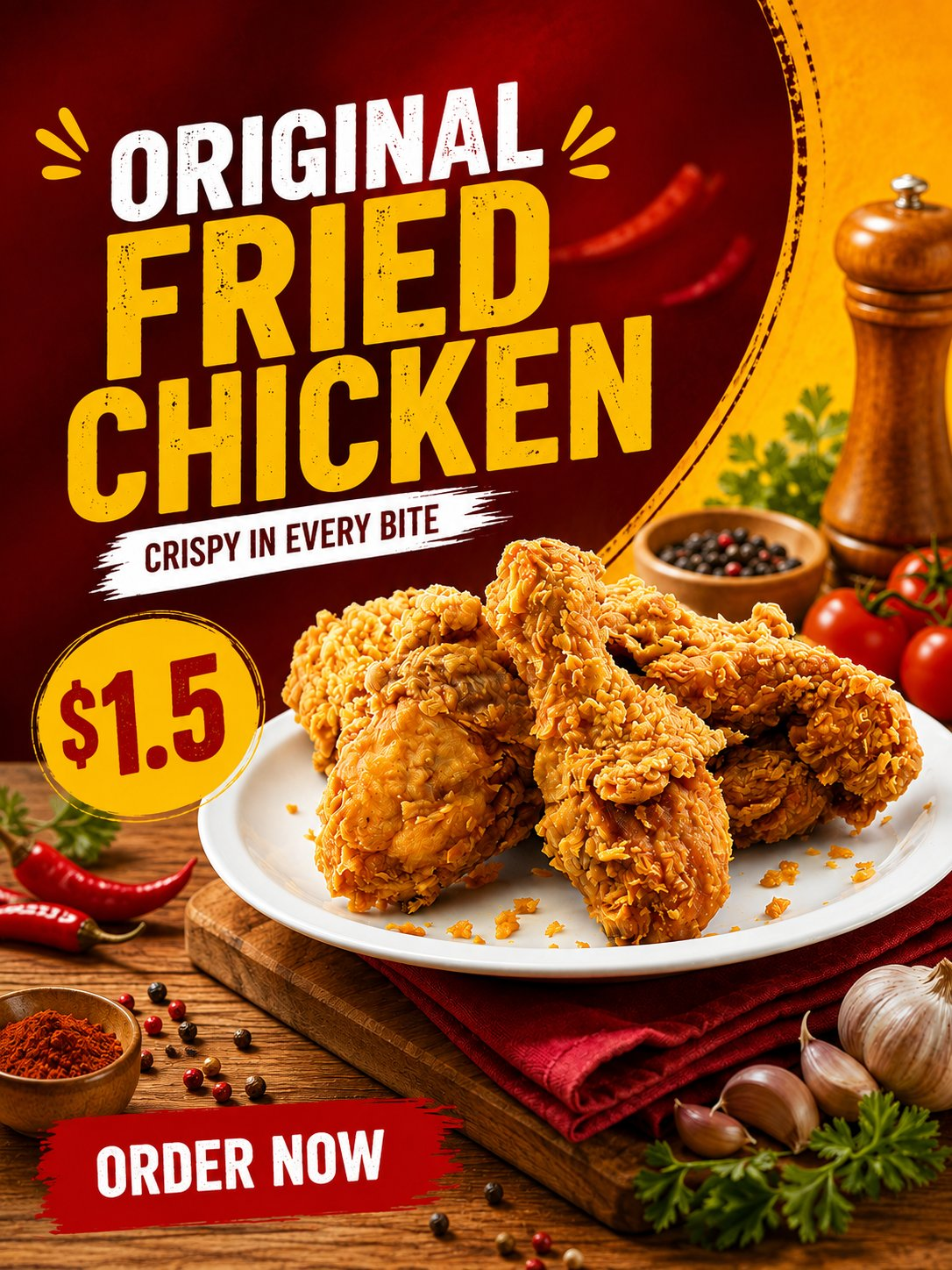
Restaurant marketers, delivery brands, and food photographers need a food product poster prompt that protects the product customers will actually receive. This template begins with the uploaded product photo, then builds a bold 3:4 commercial layout around it without redesigning ingredients, packaging, labels, or surface texture.
Image Examples


Strategic Deployment Guide
Model fit: Use an image-editing model that accepts a supplied reference photo. Upload the real product image first, lock it as the source of truth, then replace the bracketed menu variables. Keep the food itself unchanged; use the poster background and supporting ingredients only to improve commercial context.
Food Product Poster Prompt Code
Use the uploaded [REFERENCE PHOTO] as the absolute reference for [PRODUCT IDENTITY]. Maintain the exact shape, color, toppings, texture, packaging, logo, label, and product details. Do not change ingredients or redesign the food. Enhance it into ultra-HD, sharp, realistic, appetizing commercial food photography.

Place the product on a modern restaurant table with energetic [STYLE DIRECTION: BRAND COLOR PALETTE], warm studio lighting, soft shadows, and subtle supporting ingredients that do not cover the product. Use a 45-degree camera angle. Reserve [LAYOUT SAFE SPACE] for a large headline [MENU NAME], support line [DELICIOUS IN EVERY BITE], price [PRICE DATA], and CTA [ORDER NOW]. Modern commercial food poster, bold, clean, appetizing, [OUTPUT FORMAT].

Negative prompt: altered food ingredients, changed packaging, changed logo, obscured product, unreadable copy, watermark, distorted plate, or cluttered layout.
Implementation Steps
- Upload the original product image: It controls the food’s recognizable details, including packaging and labels.
- Set the commercial variables: Add the menu name, price, offer, CTA, safe text area, and brand colors before generating.
- Check product truth: Compare the output with the uploaded photo; reject outputs that change ingredients, logo, container, or serving format.
- Rebuild final copy as live text: Treat generated lettering as a layout preview and typeset actual offer details in the final campaign tool.
Application Scenarios
- Restaurant launch posters: Local restaurant marketing teams can adapt a real menu photo into a window, delivery-app, or social campaign visual.
- Delivery promotions: Food-delivery operators can create an offer card with a verified menu name, price, and order action.
- Retail food campaigns: Packaged-food brands can keep their label and package recognizable while testing a bold promotional layout.
Why This Prompt Works
The reference lock separates the product from the styling. It tells the model that the food and packaging are non-negotiable, while the table, lighting, palette, typography area, and supporting ingredients are flexible. That division helps teams explore stronger advertising context without accidentally advertising an item the customer cannot order.
Troubleshooting & Optimization
- If the product changes: Prepend “preserve every visible product detail from the uploaded reference; no ingredient, packaging, or label substitution.”
- If garnish covers the meal: Append “supporting ingredients must stay at the frame edges and never overlap the product.”
- If offer text fails: Generate the composition with a blank text zone, then add approved headline, price, and CTA manually.
FAQ
- Q: What does this food product poster prompt preserve?
A: It preserves the uploaded product’s visible food details, packaging, logo, label, and serving appearance while changing only the advertising environment. - Q: Can I change the price and menu name?
A: Yes. Replace the text variables with verified campaign details, then typeset final copy manually if the generated letters are imperfect. - Q: Is the image ready for a real menu?
A: Only after a human confirms that the visual matches the actual product and that all price, claim, logo, and ordering details are correct.
Use this prompt to develop a product-faithful food campaign direction, then verify every offer detail before public release.
Explore more in Image & Design and Marketing & Growth.
Follow @bigprompt for more prompts and workflow systems.
Related visual prompt systems:
Use a dark editorial system for technology landing-page heroes
Explore commercial campaign poster composition for product-led ads
Build a premium editorial hierarchy for product landing pages
Compare a layered editorial direction with travel-collage posters
Explore a softer illustration-led poster treatment
Big Prompt Hub Review
This prompt is a practical starting point for teams that need a more appetizing campaign visual without losing product truth. Its key value is the explicit distinction between the locked product reference and the flexible advertising scene. It cannot verify price, dietary claims, trademark use, or whether the final food actually matches what is sold, so a human review remains essential before publishing.