
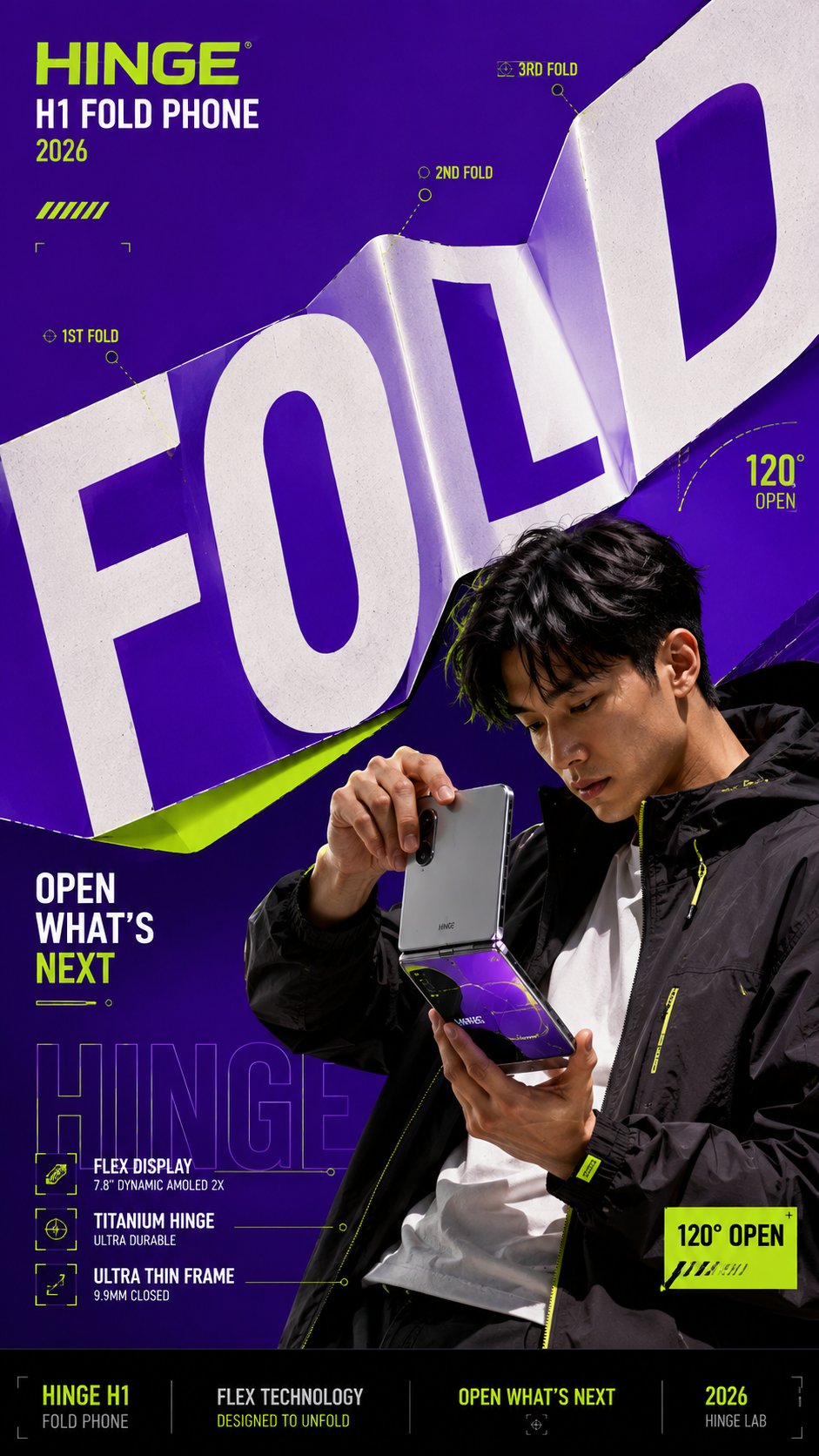
For editorial designers and campaign teams, this material typography poster prompt creates a finished 9:16 key visual where oversized letters behave like foldable, peelable, split, or reflective material around a person or product.
Image Examples
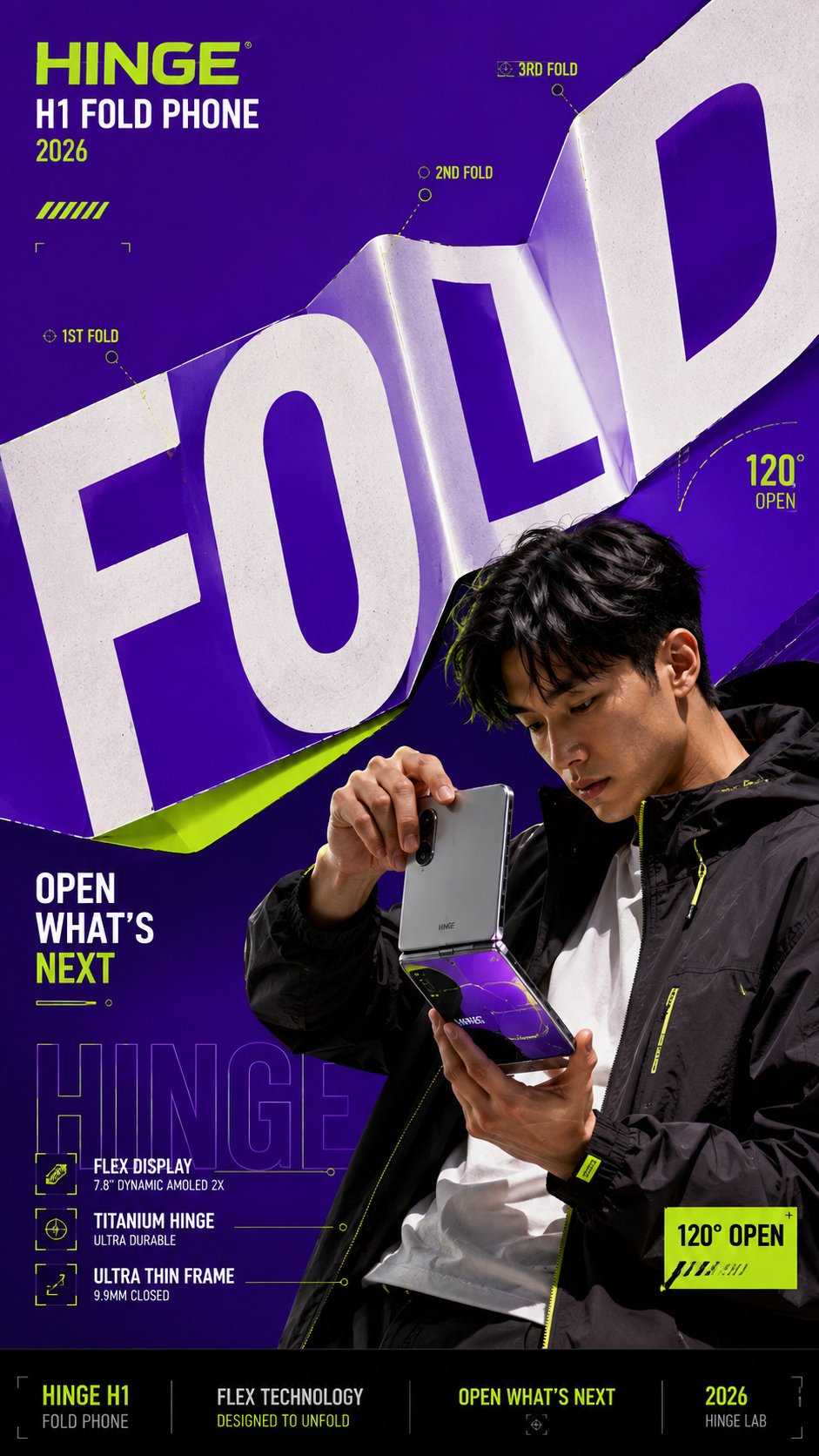
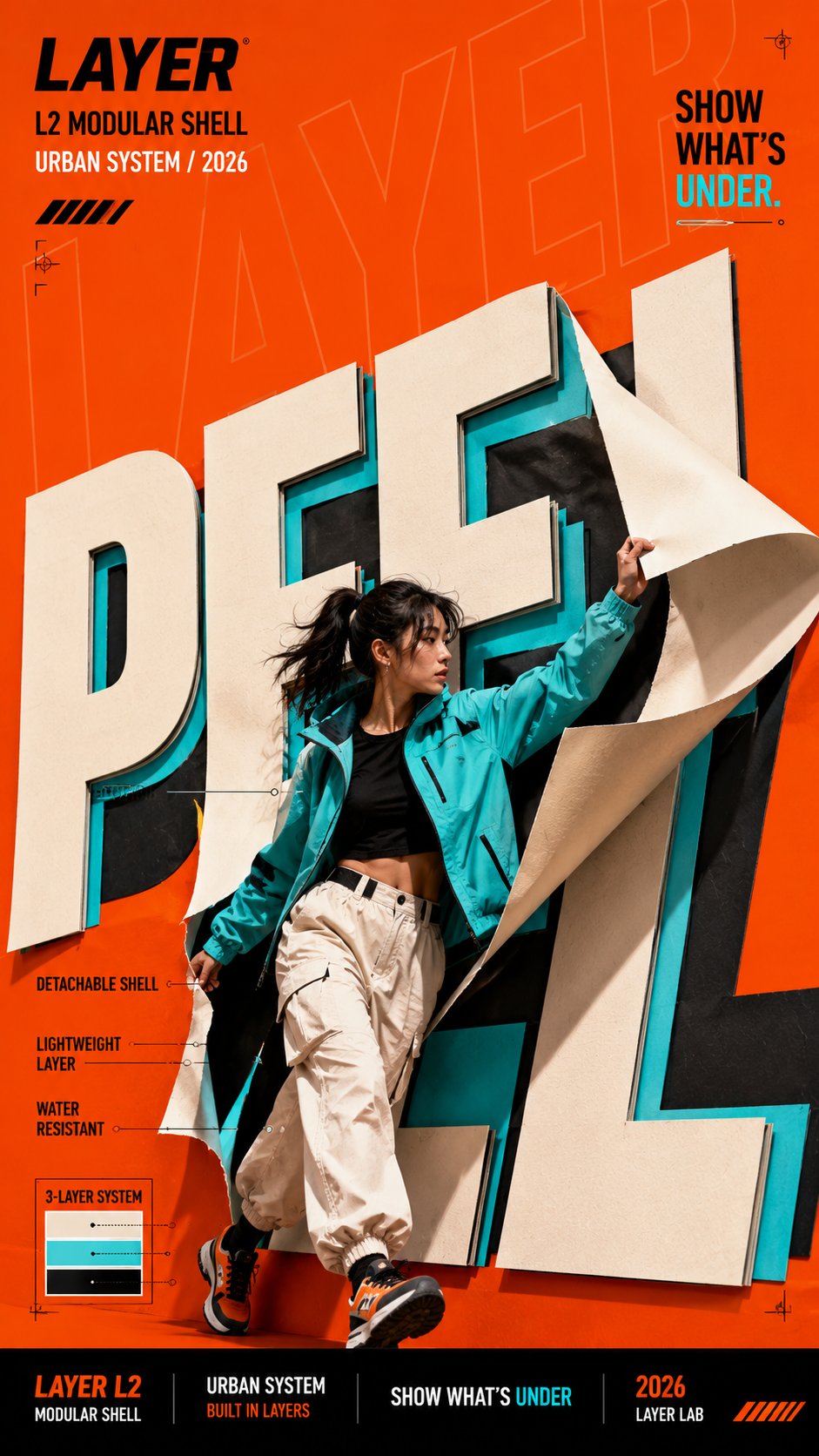
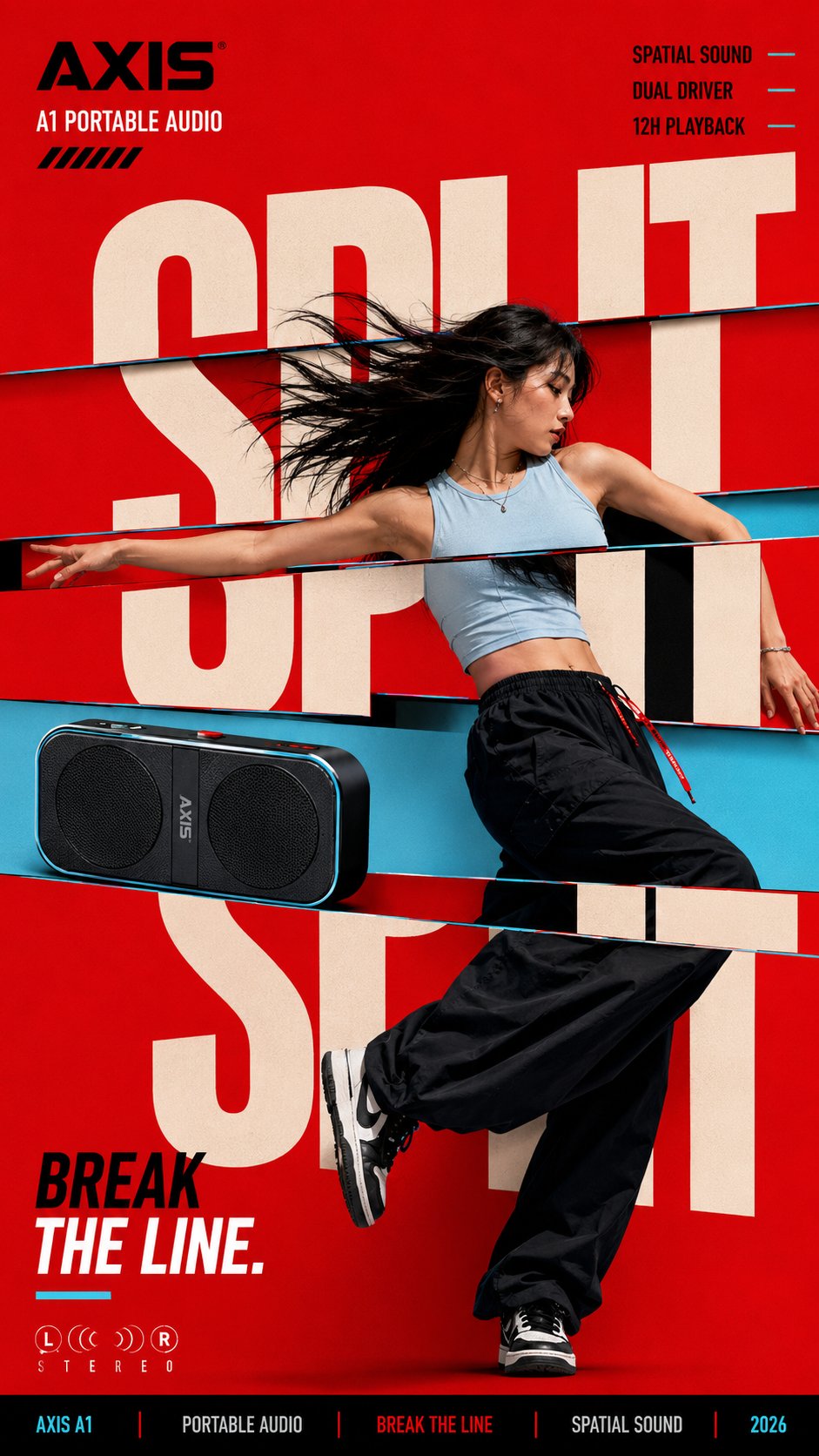
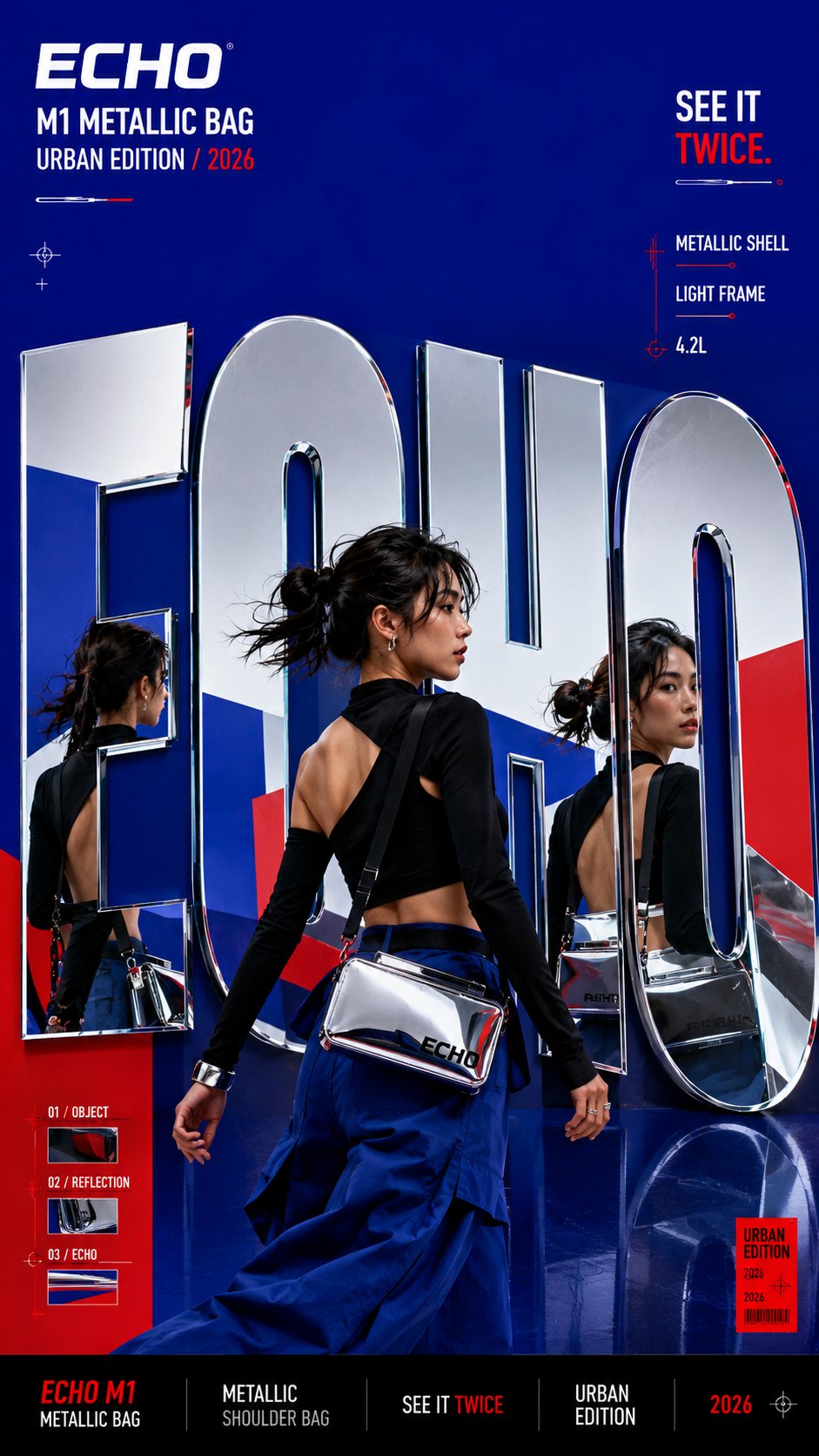
Strategic Deployment Guide
Model fit: Use ChatGPT image generation first for long structured art direction. Use Gemini image generation as a fallback when you want a second interpretation of the material behavior or campaign hierarchy. Provide a reference image when identity or product shape must remain consistent.
material typography poster prompt Code
Create a bold editorial campaign poster where oversized typography behaves like a physical material instead of remaining flat and static.

Brand: [BRAND NAME].
Product / Campaign: [PRODUCT OR CAMPAIGN].
Main Word: [SHORT WORD].
Subject: [PERSON / PRODUCT / BOTH].
Material Behavior: [FOLD / PEEL / SPLIT / REFLECT / OTHER].
Main Color: [COLOR].
Accent Color: [COLOR].
Campaign Details: [SLOGAN / SPECS / DATE].
Aspect Ratio: 9:16.

Use realistic commercial photography, oversized typography, strong contrast, and contemporary editorial design.

Make the main word fill 50–75% of the composition. Make it physically react according to the selected material behavior.

Create clear foreground–subject–background interaction.

Keep text sparse and legible.

Avoid real platform logos, random deformation, heavy 3D lettering, filler text, clutter, and disconnected effects.

Output one polished campaign key visual.
Implementation Steps
- Set the brand, campaign, short word, subject, and two-color palette before rendering.
- Choose fold, peel, split, or reflect and describe the exact edge, crease, layer, strip, or reflection that touches the subject.
- Limit campaign details to a slogan, specification, or date that supports the key visual.
- Render at 9:16, then inspect letter deformation, subject anatomy, legibility, and commercial-photo realism.
- Deliver the approved key visual as a vertical campaign cover, presentation slide, or landing-page hero after a manual text check.
Application Scenarios
- Brand designers: deliver a launch key visual for a campaign deck.
- Art directors: test material-led typography for a fashion or culture poster.
- Social teams: deliver a vertical campaign cover for short-form channels.
- Product marketers: stage a product and headline as one connected visual.
Why This Prompt Works
The template gives the model a physical rule for the headline instead of asking for decorative text. A selected behavior—fold, peel, split, or reflect—defines how letterforms respond to the subject, while the palette and sparse campaign details preserve hierarchy and legibility.
Troubleshooting & Optimization
- Letters look flat: append “show material thickness, contact shadows, and a clear interaction with the subject.”
- Text becomes unreadable: shorten the short word and remove secondary labels.
- Subject and type feel disconnected: specify the exact overlap, fold direction, or reflection path.
FAQ
- Q: What is a material typography poster prompt?
A: A reusable image template that makes oversized campaign lettering behave like a physical surface around a person or product. - Q: Which behavior should I choose?
A: Choose fold for creases, peel for layered reveals, split for directional motion, or reflect for mirrored surfaces. - Q: How do I keep the result commercial?
A: Keep one dominant color, one accent, sparse campaign details, realistic photography, and a clear subject hierarchy.
Explore Image & Design and Branding Flat Lay Mockup Prompt for adjacent visual systems.
Follow @bigprompt for more reusable campaign prompts.
Big Prompt Hub Review
This prompt is most useful when the headline must feel integrated with the subject rather than pasted on top. Its main constraint is text accuracy: keep the word short and perform a manual legibility check before final delivery.