
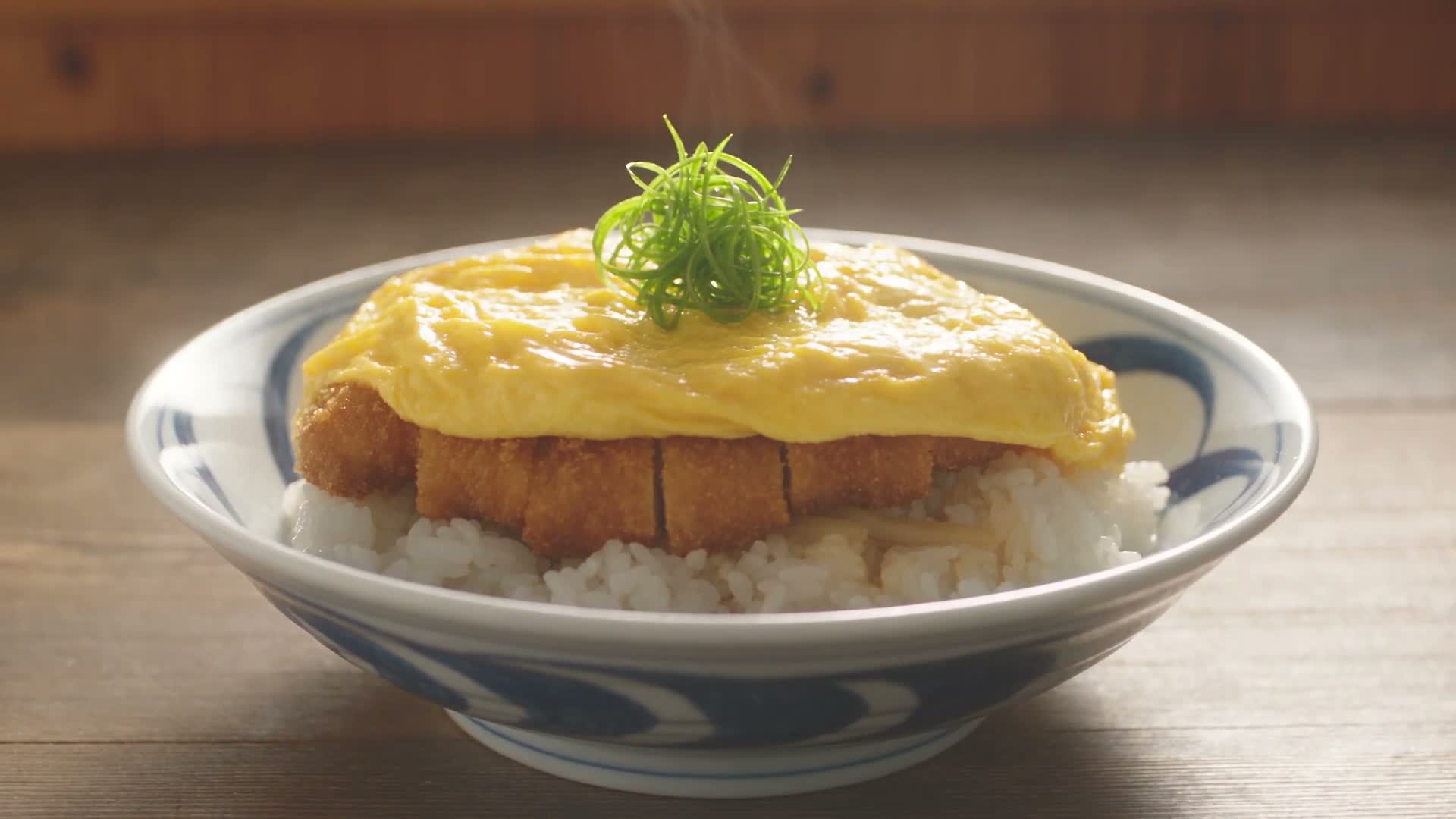
Anime Cooking Storyboard Prompt gives AI filmmakers and food creators a practical way to turn a complete recipe into a short film instead of a disconnected montage. The reusable structure below assigns every preparation stage a time window, keeps ingredients moving through believable states, coordinates food close-ups with sound, and reserves the closing seconds for a clean plated reveal.
Video Example
Watch how the 30-second example moves from raw pork to the finished bowl. Use it to judge whether each action is readable, whether the food changes state logically, and whether the edit leaves enough time for the final dish to register.
Strategic Deployment Guide
Model fit: Prefer Seedance 2.5 because the example was made for its 30-second, multi-shot workflow. A fallback model must preserve objects, hands, tools, food physics, and timed audio. Do not upload a reference image or attach an input photo; this text-only timeline controls composition and subject identity.
What to lock first: decide the dish, total duration, aspect ratio, final serving shot, and the sequence of irreversible transformations. Style words come later. A beautiful frame cannot repair a cutlet that becomes raw again, a garnish that appears before plating, or a pan that changes shape halfway through the recipe.
Anime Cooking Storyboard Prompt Code
VIDEO TASK:
Create a [duration and aspect ratio] fast-paced anime cooking film showing the complete preparation of [dish and cuisine] from raw ingredients to final serving. Generate an original sequence from this text description. Do not display or imitate a storyboard, sketch, reference panel, annotation, or interface.

SUBJECT IDENTITY:
Keep [subject identity and dish] recognizable from the opening ingredient shot through the final plated reveal.

INGREDIENT AND CONTINUITY PLAN:
Use [ingredient list and food-state continuity]. Keep ingredient quantity, doneness, cut shape, moisture, color, and position logically consistent from one shot to the next. Nothing returns to an earlier state after it has been cut, cooked, mixed, or plated.

PREPARATION ACTIONS:
Show [preparation actions and tools]. Hands must grip tools naturally. Knives, pans, bowls, chopsticks, spatulas, and ingredients retain the same design and scale throughout the film. Each action starts, makes visible contact, changes the food, and finishes before the next action begins.

MATERIAL AND SURFACE CONTROL:
Render [material and surface behavior] so crumbs, batter, oil, broth, egg, pastry, sauce, steam, and garnish react to heat and contact with believable weight and moisture.

VISUAL STYLE:
Render [visual style and lighting]. Use detailed food textures, believable heat, steam, moisture, oil movement, crisp crumbs, glossy sauces, and shallow depth of field where appropriate. Keep one coherent kitchen, color palette, light direction, hand treatment, and animation language across all shots.

CAMERA AND EDITING:
Use [camera distance and movement]. Alternate readable preparation coverage with macro texture shots. Build match cuts from movement, shape, texture, or composition; never hide a missing action behind a random cut. Keep the food as the primary subject.

TIMELINE:
Follow [shot-by-shot timeline]. Write every beat as:
TIME — ACTION
Subject and food state at the start; one visible preparation action; expected state at the end; camera distance or movement; practical sound cue.

Recommended progression:
1. Establish the raw hero ingredient and first preparation action.
2. Show coating, mixing, shaping, seasoning, or another visible transformation.
3. Show the primary cooking process with realistic heat and moisture behavior.
4. Show cutting, resting, draining, or transferring without resetting the food state.
5. Prepare the base, sauce, broth, pastry, or supporting component.
6. Combine the main and supporting components in the correct order.
7. Plate the dish and let materials settle naturally.
8. Hold a final close-up, then finish with a distinct hero reveal.

SERVING AND FINAL REVEAL:
Present the finished dish with [serving vessel and garnish]. Preserve the prepared food's shape and texture. Leave enough screen time for a slow push-in, short arc, or stable hold that clearly shows the final result.

AUDIO:
Use [music direction and practical cooking sounds]. Synchronize impacts, slicing, stirring, pouring, sizzling, bubbling, steam, utensil contact, and the final plate or bowl sound with the matching visual action. Keep music below the practical sounds. If the model cannot generate audio, return the same cue list as a separate sound-design brief.

OUTPUT CONTROLS:
Deliver in [output format]. Prioritize continuity, readable actions, appetizing food texture, natural timing, and a clear final reveal over excessive camera movement.

NEGATIVE PROMPT:
No text, subtitles, captions, logos, watermarks, UI, panels, borders, arrows, labels, or shot numbers in the video. No unrelated dishes or ingredients. No disappearing tools, duplicated hands, malformed fingers, impossible grips, uncooked food reverting after cooking, repeated frames, teleporting ingredients, inconsistent vessels, random style changes, weightless liquids, frozen steam, or decorative effects that obscure the cooking process.
Implementation Steps
- Map each scene as a visible state change: list what the food subject must show before and after every cut. “Cook the pork” is vague; “lower the breaded pork into oil and end on a fully golden crust” creates a verifiable transition.
- Set scene timing and composition: reserve longer windows for coating, frying, pouring, assembly, and the hero reveal. Use short windows for seasoning or transferring only when one movement can complete the beat.
- Lock material continuity and camera layout: use macro coverage for surface texture, a medium close-up for tool handling, and a stable wider composition for assembly. Avoid asking one two-second shot to orbit, rack focus, zoom, and follow hands simultaneously.
- Synchronize the sound plan: attach one practical cue to each physical action, then add music as a restrained layer. The viewer should hear the mallet, knife, oil, broth, pour, and ceramic only when those events occur.
- Run a post-render deformation inspection: review hands, tool contact, ingredient count, food state, vessel design, light direction, and the final plate frame by frame. Repair or regenerate only the failed scene when the model supports extension or scene replacement.
Application Scenarios
- Recipe channels: turn a signature dish into a concise animated short for YouTube Shorts, Reels, or TikTok without losing the actual preparation order.
- Restaurant concept films: prototype a visual treatment for a seasonal menu item before commissioning full production.
- Food-brand storyboards: test how packaging, ingredients, kitchen tools, and the final serving moment might fit into a short campaign asset.
- Animation studies: compare how different video models handle hands, liquids, steam, cutting, frying, and state continuity under the same timed brief.
Why This Prompt Works
The method treats cooking as a chain of irreversible visual states. Every beat names the starting condition, physical action, resulting condition, camera role, and sound cue, so the model receives more than a list of attractive food shots. The fixed ending also prevents the edit from spending all its time on preparation and cutting away before the finished dish becomes legible.
The supplied katsudon clip also reveals an important limitation: even when a prompt asks for Japanese anime film styling, detailed food textures and realistic physics can pull some models toward photoreal food-commercial imagery. If anime identity matters more than realism, define the animation era, line treatment, cel shading, background-paint style, and forbidden photoreal traits more explicitly, then test a short segment before generating the full timeline.
Troubleshooting & Optimization
- The result looks live-action instead of anime: replace broad “high quality” language with a specific 2D animation treatment, such as clean ink lines, controlled cel shading, painted backgrounds, limited highlight gradients, and no photoreal skin or food photography.
- Ingredients reset between cuts: add the ending food state to the next beat’s opening sentence. Repeat the same color, cut shape, doneness, vessel, and quantity until the next visible transformation occurs.
- Hands or tools break: shorten the action, reduce simultaneous movement, use a medium close-up, and name the grip and contact point. A knife should finish one cut before the camera changes angle.
- The edit feels rushed: remove decorative inserts and combine only beats that share one motion. Protect the cooking transformation and final hold before preserving extra camera flourishes.
- Sound feels detached: move each cue into its matching timeline beat and describe onset, intensity, and stop point. Generate a separate sound brief when the video model cannot maintain synchronization.
Common Questions
- Q: What should I change first in an Anime Cooking Storyboard Prompt?
A: Start with the dish, ingredients, visible preparation stages, total duration, and final serving shot. Change style, music, and camera treatment only after the food-state timeline is coherent. - Q: Can I use this for a dish other than katsudon?
A: Yes. Replace every example-specific ingredient and action, then rebuild the timeline around the new recipe’s irreversible transformations. Ramen, pastry, dumplings, and grilled dishes need different continuity checkpoints. - Q: Do I need a storyboard image?
A: No. This version works from text alone. If you add references, confirm that your model supports them and state whether each reference controls composition, character identity, ingredients, or style. - Q: What if my model only supports 10 seconds?
A: Split the recipe into preparation, cooking, and assembly clips. End each clip on a stable food state, then use that state as the next clip’s opening reference and continuity description.
Replace the variables with one complete recipe, run a short continuity test, and inspect the result before committing to the full film. Share the dish and the hardest transition in the comments so other creators can compare fixes.
Browse more work in Video & Music and Prompt Engineering Guides, or follow @bigprompt for reusable prompts and production workflows.
Continue with related video prompts.
For another continuity-first short, use Through Glass Video Prompt for Realistic 8-Second Scenes. For a staged anime action sequence, see Anime Sword Fight Video Prompt Workflow: Character Lock Before Motion. To compare multi-shot model phrasing, continue with Seedance Prompt Examples for Jimeng/Dreamina Multi-Shot Video.
Big Prompt Hub Review
This template is strongest when a recipe contains clear physical transformations and the creator is willing to audit continuity instead of judging only the prettiest frame. Its main constraint is model drift: hands, vessels, ingredient states, sound timing, and the intended 2D look can all change across a long one-pass generation. Treat the first render as evidence, then tighten the failed beat or split the sequence rather than adding more adjectives to the whole prompt.
Leave a Reply
You must be logged in to post a comment.