
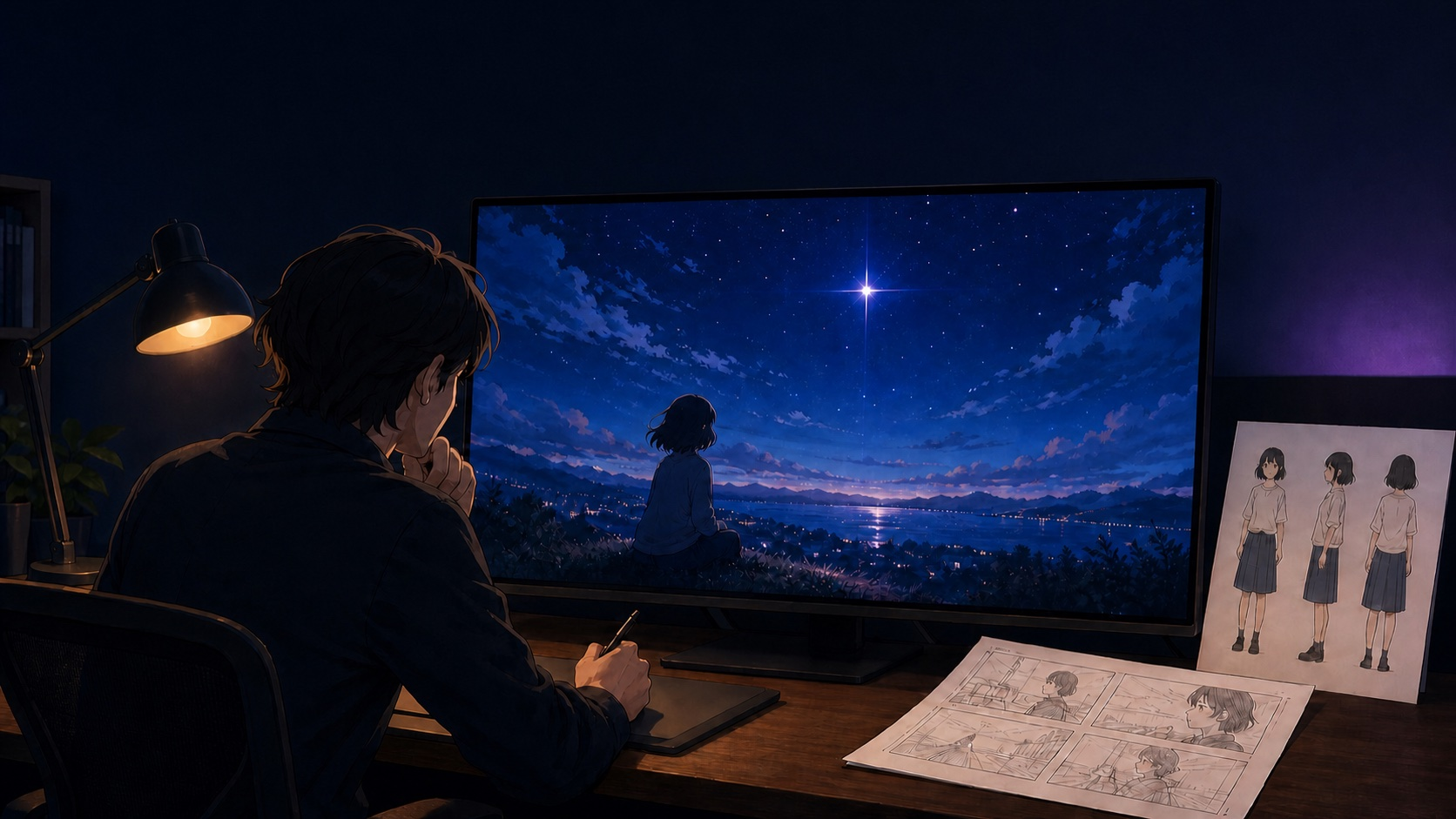
For anime directors and short-form video creators, this AI anime workflow turns an original story idea into a reviewed character, storyboard, and video handoff before a motion render is attempted, helping the team spot identity or story drift while changes are still small and local.
Workflow Overview
APOB AI’s article presents a pre-production chain: create an original character model, make an anime character sheet, set a visual story bible, build storyboard panels, make a continuity pass in Chat to Edit, then send a chosen frame and directed motion brief to Seedance 2.0. The point is not a guaranteed finished film. It is a clearer set of creative decisions that can be checked before the video stage.
Keep one source of truth as you move forward: the character’s face, silhouette, costume, colour cues, emotional direction, setting, and the story beat for the scene. Each later stage should use the approved material from the stage before it.
Step 1: Define the Anime Lead
- Target: Establish an original lead character that can appear across more than one scene.
- Input: A short story premise plus the lead’s visual identity, emotional energy, and recurring costume or silhouette details.
- Model fit: APOB AI’s AI Influencer Generator is the source-named starting point for the character-model stage.
- Expected output: A character identity base to carry into the reference and storyboard stages.
- Quality check: Confirm the result is an original character and that the face, silhouette, hair, costume, and emotional tone are clear enough to review.
Do not treat a broad style label as the complete brief. The source’s practical distinction is between a one-off image and a character model that can anchor later scenes.
Step 2: Make the Production Character Sheet
- Target: Turn the approved lead into a reference sheet for later frames.
- Input: The selected character identity and the features that must remain stable: face, hair, outfit, palette, posture, expression range, and silhouette.
- Model fit: The source assigns this stage to GPT Image 2.0 in Chat to Generate.
- Expected output: A production character sheet rather than an isolated beauty image.
- Quality check: Check that a later reviewer could identify the same character without relying on a vague style tag.
Source prompt label: Chat to Generate Prompt: Anime Character Sheet. Use the original article’s labeled prompt with the approved character details; do not replace those details with a different character halfway through the chain.
Step 3: Create the Visual Story Bible
- Target: Define the world, lighting, mood, and symbolic visual that make the scene feel coherent.
- Input: The character sheet, location, emotional tone, and one scene-specific visual motif.
- Model fit: The article again uses GPT Image 2.0 in Chat to Generate for this image-planning stage.
- Expected output: One visual story-bible image that guides the film’s look and feeling.
- Quality check: Ask whether the image communicates both the setting and the intended emotional direction before moving to panels.
Source prompt label: Chat to Generate Prompt: Anime Story Bible. Keep this as a creative reference, not proof that every later generation will match it automatically.
Step 4: Build the 12-Panel Storyboard
- Target: Convert the premise into a sequence with a beginning, escalation, and payoff.
- Input: The approved character sheet and story-bible direction, plus the narrative beat for each panel.
- Model fit: The source places storyboard generation in Chat to Generate.
- Expected output: A 12-panel anime storyboard with the same lead character carried through the sequence.
- Quality check: Review whether the sequence reads before attempting movement; choose a key panel only after the story beat is understandable.
Source prompt label: Chat to Generate Prompt: 12-Panel Anime Storyboard. A storyboard is the handoff point for continuity review, not a decorative collage to skip past.
Step 5: Direct the Seedance 2.0 Video Scene
- Target: Animate a chosen storyboard keyframe with direction that describes change over time.
- Input: The approved keyframe or storyboard reference, plus camera movement, action, lighting, expression, and emotional pacing.
- Model fit: The source names Seedance 2.0 inside Image to Video Ultra S for this stage.
- Expected output: A cinematic anime video scene based on prepared visual references.
- Quality check: Review whether the camera, action, and emotional beat support the planned scene instead of merely looking dramatic.
Source prompt label: Seedance 2.0 Prompt: Cinematic Anime Video Scene. The source recommends time-coded movement direction; it does not promise that a single render will deliver a complete commercial production.
Step 6: Review Continuity and Iterate
- Target: Repair the specific story or continuity issue rather than restarting from a blank request.
- Input: The generated clip, the character sheet, the storyboard, and a clear note about the failed moment.
- Model fit: The source identifies Chat to Edit as the continuity-revision stage before another video attempt.
- Expected output: A revised keyframe, storyboard detail, or time-coded direction ready for a focused re-run.
- Quality check: Check character identity, the recurring visual motif, the emotional shift, and whether camera movement helps the story.
Implementation Steps
Prompt Code: Character-to-Video Planning Brief
Build an original anime story package for [story premise].
Lock the lead’s [face, silhouette, hair, outfit, and emotional energy] in an anime character sheet.
Create a visual story bible for [setting, lighting, mood, and symbolic motif].
Plan a 12-panel storyboard with [beginning, escalation, and payoff].
Choose [approved keyframe], then direct camera, action, lighting, expression, and emotional pacing over time.
If continuity fails, revise [the failed keyframe or storyboard detail] before another video attempt.- Write a short original premise and decide which visual details must remain stable.
- Approve the lead and character sheet before creating the world or panels.
- Use the story bible to review setting, lighting, and the emotional cue for the scene.
- Build and review the 12-panel sequence, then select the key frame that carries the intended beat.
- Send that reviewed visual reference to the Seedance 2.0 stage with direction for motion over time.
- Use Chat to Edit or a revised storyboard detail when continuity fails; rerun only the affected stage.
Application Scenarios
- Indie creators: prepare a storyboard package for a one-minute YouTube anime short.
- Channel creators: keep one original lead consistent across episodic Reels scene drafts.
- Production teams: hand off an approved keyframe and motion brief for an animated music-video scene.
Workflow Use Cases
This chain is most useful when a creator needs a reviewable pre-production handoff: a character identity to preserve, a scene direction to approve, and one keyframe to animate. It is not evidence that the named tools will make every scene consistent without review.
Troubleshooting & Optimization
- The lead changes between panels: return to the approved character-sheet details and revise the panel that drifted before making video.
- The scene looks attractive but the story beat is unclear: revise the selected storyboard panel and clarify the action or emotional transition.
- The video motion distracts from the scene: adjust only the time-coded movement direction, then review the new clip against the keyframe.
Rights, Identity, and IP Limits
Use original characters and visuals, or material you have permission to use. APOB AI’s article says it does not support or permit deepfakes and places responsibility for intellectual-property rights and legal compliance on the user. Do not use this chain to imitate a real person, reuse protected characters without permission, or treat a generated output as a substitute for checking rights and platform rules.
FAQ
- Q: What should an AI anime workflow prepare before video generation?
A: A reviewed lead, character sheet, story-bible direction, storyboard, and selected keyframe. - Q: Which tools does this chain name?
A: APOB AI’s AI Influencer Generator, GPT Image 2.0, and Seedance 2.0. - Q: Does one prompt produce a finished anime film?
A: No. The source emphasizes reviewed pre-production and targeted iteration.
Explore related production ideas in Prompt Engineering Guides, Video & Music, and Image & Design. Follow @bigprompt for more practical prompt systems.
Related Guides for AI Anime Production
For a reviewed product-video production path, see Video Shotcraft Skill for Remotion Product Video Production.
If a creative team needs an explicit approval checkpoint before publishing, use the Social Media Approval Workflow for Content Teams.
For turning locked visual inputs into campaign-ready variations, read the Product Photo to Ad Creative Workflow for Package-Locked Campaigns.
For an image-to-interface review angle, explore Apple Design Skill Reviews Fluid Web Interfaces.
For a single-scene video prompt example, compare the Luxury Perfume Commercial Video Prompt for Bottle Transformations.
Big Prompt Hub Review
This is a useful source-backed chain because it makes reviewable artifacts—character sheet, world reference, storyboard, keyframe, and motion direction—visible before the final video attempt. Its limit is equally important: the source gives a method and named prompt labels, not a guarantee of consistency, rights clearance, or a completed commercial film. Keep human review at every handoff.