
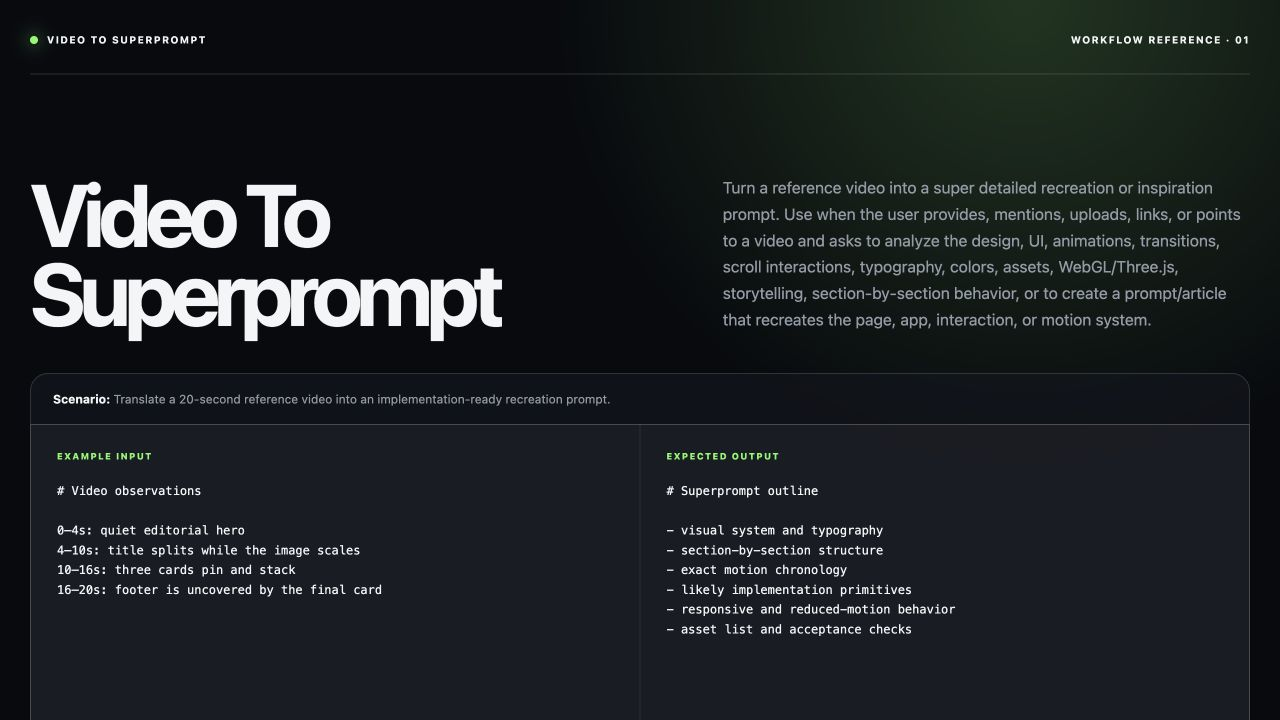
Frontend teams use a video-to-superprompt skill when a UI motion reference needs to become a rebuild-ready brief instead of a vague visual imitation. It records what is visible, what remains unknown, and how a builder should reproduce the layout, motion, asset boundaries, and accessible fallbacks.
Skill Summary
MengTo’s official skill turns an accessible reference recording into one paste-ready prompt for either an exact recreation or a clearly bounded inspired adaptation. It is a build-handoff skill, not a video generator, and it does not fill in hidden screens or missing assets as facts.
Where This Skill Fits
Use it before a frontend rebuild when the reference contains scroll timing, pinned cards, masks, hover states, video scrubbing, or layered movement that static screenshots cannot explain. The result gives a coding model or implementation team a bounded visual and motion specification.
Who It Helps
- Frontend teams: need a traceable handoff from a reference clip to implementation work.
- Designers: need motion chronology and asset uncertainty documented before build.
- Operators: need responsive, reduced-motion, and performance conditions written alongside the visual direction.
Access / Install Links
Read the official video-to-superprompt SKILL.md and its superprompt template. Repository revision: 46abf7860d716c33de8217b6ff9f75debf28afaf.
Setup Steps
- Provide a reachable local file, uploaded recording, URL, or browser-visible video.
- Inspect source HTML, CSS, JavaScript, or supplied assets when an exact recreation is requested.
- Record missing material as a placeholder instead of guessing it.
Example Inputs
01 · Inspect the reference clip
ffprobe -v error -show_entries format=duration,size:stream=width,height,r_frame_rate -of json Use when: the recording is local and technical facts must be verified before analysis.
Expected output: duration, dimensions, frame rate, and size for the evidence record.
02 · Extract timeline frames
ffmpeg -y -i -vf fps=1 [frames directory]/frame-%03d.jpgUse when: transition moments need visual evidence before the superprompt is written.
Expected output: non-empty representative stills matched to timeline beats.
Expected Outputs

The handoff contains an asset map, section anatomy, exact motion chronology, likely implementation primitives, responsive rules, reduced-motion behavior, performance constraints, and acceptance checks. The official demo observes a quiet hero at 0–4 seconds, a title and image transition at 4–10 seconds, stacked pinned cards at 10–16 seconds, and a footer reveal at 16–20 seconds.
Build [exact interface] from [reference video] as [exact recreation or inspired adaptation].

ASSET MAP
- Supplied assets: [URLs or local filenames]
- Missing assets: [named placeholders]

MOTION CHRONOLOGY
- [time range]: [visible layout and motion]

REQUIREMENTS
- Define desktop, tablet, and mobile behavior.
- Provide a prefers-reduced-motion fallback.
- Lazy-load heavy media and preserve keyboard focus.
- Fail if the build guesses unseen assets or replaces scroll behavior with autoplay-only media.
Use Cases
- Motion rebuild: translate a landing-page recording into section-level implementation instructions.
- Design handoff: separate supplied assets from missing material before engineering starts.
- Accessibility review: specify static and reduced-motion alternatives for movement-heavy references.
Limitations
The skill cannot recover implementation details or assets that the video never shows. Exact recreation still needs reachable source material and human review; where evidence is absent, the handoff must use placeholders or state the boundary.
Common Mistakes & Fixes
- Guessing unseen media: label it as a placeholder or request the source asset.
- Writing “make it beautiful”: replace it with observed type, spacing, timing, and interaction rules.
- Ignoring fallback behavior: state mobile, touch, keyboard, and reduced-motion behavior before sign-off.
Related Tools / Prompts
For the broader repository context, browse the complete MengTo/Skills Agent Skills collection.
FAQ
- Q: What does a video-to-superprompt skill do?
A: It converts observable UI video evidence into a bounded rebuild brief with an asset map, motion chronology, and implementation requirements. - Q: How do I use a reference recording without guessing hidden details?
A: Inspect supplied assets and code first, then mark unseen material as a placeholder. - Q: Can the build brief include accessibility requirements?
A: Yes. Include responsive behavior, keyboard states, and a reduced-motion fallback.
Install or adapt this skill for your workflow? Share what you build in the comments.
Explore more? View the AI Skills or AI Tools category.
I hope this video-to-superprompt skill guide helps you choose, install, and test the right reusable capability.
Follow @bigprompt for more installable skills, workflows, and prompt systems.
Related Big Prompt Hub pages:
Agent Skills Collection Built Around UI Workflow Playbooks
AI Design Skills That Strengthen Critique, Systems, and Handoff
AI Design Skills for Frontend UI and the Tools That Actually Help
Frontend UI Workflow with AI Prompts for Practical Build Handoffs
Agent Skills Evaluation Workflow: Evidence Before Installation
Big Prompt Hub Review
This skill is useful because it turns a motion reference into an accountable build brief instead of a loose style request. Its practical limit is clear: a video cannot prove what it does not show, so teams must keep unknown assets and implementation choices explicit.